Best AI Tools for Social Media Scheduling in 2026
A few years ago I was running social for several accounts, and my Sunday nights had a routine. I would open six tabs, paste a caption into one, tweak it for the next, hunt down last week's numbers, and lose an hour before a single post was scheduled.
The tools solved the scheduling part long ago. What changed recently is the AI layer sitting on top of it. Some of it writes captions that sound like me. Some of it picks the hour my audience is awake and scrolling. A smaller group will generate the image or the short video before I have finished my coffee.
That last difference matters more than the marketing pages admit, and it runs through this whole guide. I tested eight tools and judged each on how its AI holds up in daily use. Then I matched every one to the kind of person who should buy it. Every price here came from the company's official pricing page and is accurate as of June 29, 2026.
Here is the route. I will define what earns the AI label this year, explain how I scored everything, drop a comparison table you can skim, then review the eight tools one by one before helping you choose.
What counts as an AI scheduler now
Almost every scheduler bolted on an AI button around 2023. Type a rough caption, hit the sparkle icon, get a polished version back. That is useful. It is also the shallow end of the pool.
The pricing page never tells you which end you are standing in.
So before I tested anything, I wrote down what real AI help looks like for someone publishing every day:
- Generation from a brief, not a rewrite. You hand it a topic or a product link and it produces the post. Rewriting text you already typed is a much smaller favor.
- Native image or video creation. The tool builds the visual inside the dashboard, shaped by your brand colors and voice, instead of bouncing you to a separate app.
- Timing from your own data. It predicts when your specific audience engages, not when a generic chart claims Tuesdays work.
- Recommendations you can act on. Analytics that say carousels beat your single images by 40%, so make more of them, rather than a wall of numbers you have to decode yourself.
A tool that does one of these is a scheduler with a writing assistant. A tool that does most of them is an AI tool in the full sense, and it changes how the work feels. I will keep pointing back to this short list as I go through each option, because it is the cleanest way to tell a sparkle button from a content engine.
One thing worth saying plainly: AI images and video have improved quickly, and they still need a human eye. Push the volume too high and the output starts to look machine-made, so the tools that win are the ones that get you most of the way there and stay out of your way for the rest.
How I scored the eight tools
AI depth was the headline, but a clever caption writer welded to a clumsy scheduler is still a clumsy scheduler. So the AI counted for a lot, and so did five other things.
The core scheduling came next: how quickly I could queue a week of posts, and whether each tool published on time without me hovering over it. Platform coverage mattered too, because a scheduler that skips the network you live on is a dead end before you start.
After that came the analytics, and whether a normal person could read them. Collaboration features mattered for anyone sharing the work with a team or clients. Price I tracked closely, down to the add-ons that quietly pad the monthly bill.
I leaned on the free plans and trials. In each tool I set up the same brand and ran one identical week of content through the publishing flow. Where a tool charged for something its rivals gave away, I have flagged it in that tool's section.
A note on the figures below. Every price came from the company's own pricing page and reflects rates on June 29, 2026. Social tools change pricing often, so treat these as a snapshot and click through before you pay.
The eight tools at a glance
Skim this table, then dive into the sections that apply to you. The full reviews come right after.
| Tool | Best for | Where its AI lands | Starting price (June 29, 2026) |
|---|---|---|---|
| Buffer | Beginners and small brands | Caption help on every plan; no image generation | Free; paid from $5 per channel/mo |
| Hootsuite | Established teams and big brands | Caption AI plus social listening, every tier | No free plan; from $99 per user/mo |
| Sprout Social | Analytics-led teams | AI send-time prediction; assisted replies | No free plan; from $79 per seat/mo |
| Later | Visual, Instagram-first creators | Caption writing (credit-based) | Free; paid from $25/mo |
| Metricool | Reporting on a budget | Caption ideas; analytics-led, no media generation | Free; paid from about $25/mo |
| SocialBee | Evergreen content recycling | AI captions and images, plus a strategy generator | No free plan; from $29/mo |
| Publer | Tight budgets, wide platform lists | GPT-4 captions and image generation (Business) | Free; paid from $5/mo |
| Predis.ai | AI-native content creation | Builds a caption plus a carousel or short video from a brief | Free; paid from $32/mo |
The eight tools, reviewed
Now the detail. The order runs from the most familiar names to the AI-first newcomer at the end, so the list builds as you read. Each tool gets the same treatment: how its pricing works in practice, then what it does well and where it falls short.
1. Buffer, the gentle on-ramp
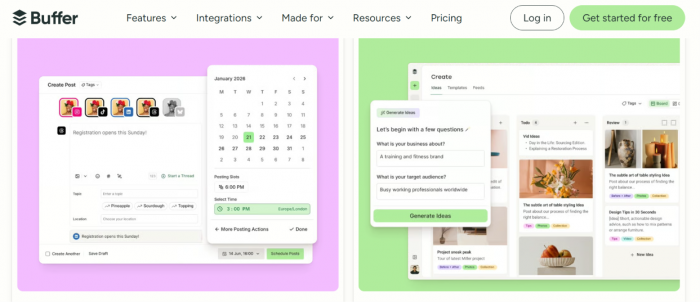
Buffer is where I send anyone who finds the category intimidating. The interface is calm and the queue is obvious, and you can publish within minutes of signing up. Its AI Assistant is free on every plan and drafts or repurposes captions in a couple of clicks, though it stops at text.
Pricing
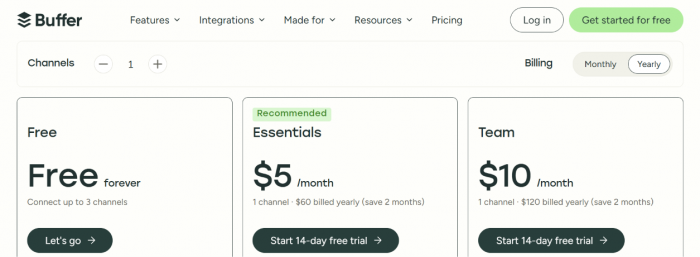
The free plan covers 3 channels with 10 scheduled posts each. Essentials is $5 per channel each month on annual billing, and Team is $10 per channel with approvals plus unlimited seats. Costs scale with channel count, so a solo creator stays cheap while a large agency climbs.
Pros
- The cleanest, most beginner-friendly interface in this roundup.
- A real free plan, not a time-limited trial.
- Per-channel pricing stays affordable for solo creators.
Cons
- No image generation. The AI stops at captions.
- Analytics and listening are thin next to Hootsuite or Sprout.
- Per-channel pricing adds up once you manage many accounts.
Best for beginners and small brands who want clean scheduling without an enterprise price tag.
2. Hootsuite, the heavyweight
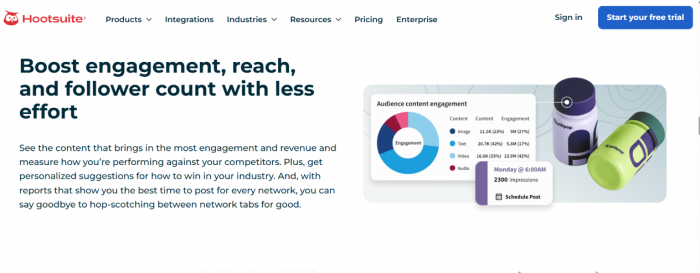
Hootsuite is old enough that its name is shorthand for the category, and in 2026 it aims squarely at bigger operations. Its OwlyWriter AI handles captions and ideas competently, but the real draw is the listening and reporting wrapped around it.
Pricing
There is no free plan. Standard starts at $99 per user each month. Professional and Advanced run $199 and $399, and Enterprise is a custom quote. Pricing is per seat, so a five-person team multiplies quickly.
Pros
- Best-in-class social listening for brand mentions and competitors.
- A report builder that turns out client-ready PDFs Buffer and Later cannot match.
- The broadest native platform coverage of the tools here.
Cons
- No free plan, and the entry price is steep for solo users.
- Per-seat billing punishes growing teams.
- The dashboard feels cluttered next to Buffer or Later.
Best for established teams and brands that need listening and deep reporting, with the budget to match.
3. Sprout Social, the analyst's tool
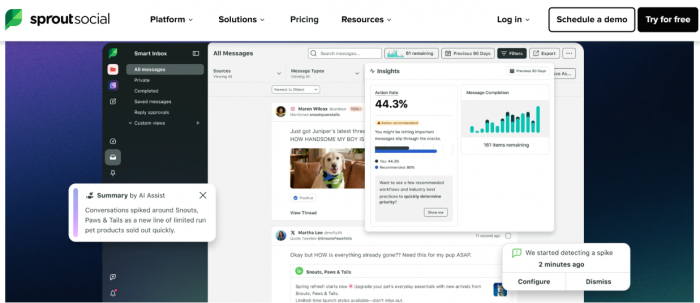
Sprout sits at the premium end and earns it on reporting. If your month revolves around presenting numbers to a boss or a client, this is the most polished option here, and its ViralPost AI predicts send times from your own audience data.
Pricing
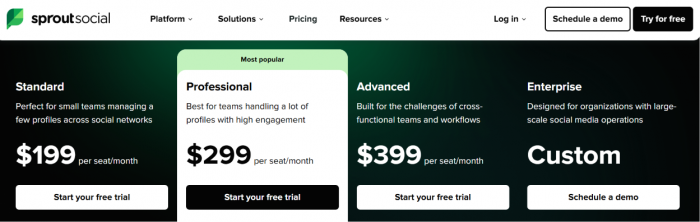
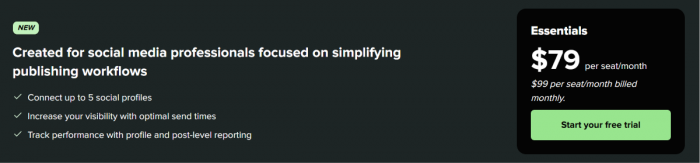
There is no free plan, and billing is annual per seat: $79 at Essentials, $199 at Standard, $299 at Professional, and $399 at Advanced, with Enterprise on request. The 30-day trial needs no card, which is generous at this level.
Pros
- The strongest analytics and reporting in this lineup.
- Smart Inbox is excellent for high-volume DMs and comments.
- ViralPost send-time prediction uses your own data, matching the timing test from earlier.
- A 30-day no-card trial, rare at this price.
Cons
- The most expensive option here, and per seat on top.
- Sentiment analysis is locked to the $399 Advanced plan.
- Social listening is a paid add-on, not included.
Best for analytics-led teams and customer-facing brands that treat social as a support channel, not only a megaphone.
4. Later, for the visually minded
Later grew up as an Instagram tool and still thinks in pictures. The drag-and-drop calendar and grid preview make it the easiest place to plan a feed that has to look good as a whole.
Pricing
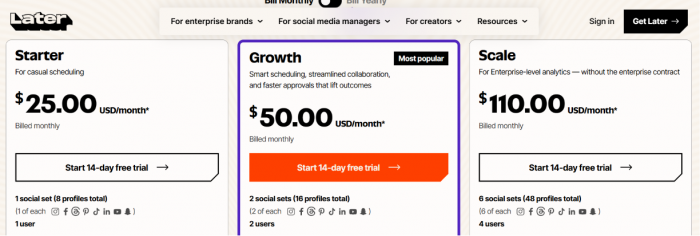
A free plan covers light use plus a Link in Bio page. Paid plans are flat rather than per channel: Starter is $25 a month and Growth is $50, with Scale at $110, each cheaper on annual billing. A 14-day trial covers the paid tiers.
Pros
- The best visual planner and feed preview for Instagram-first brands.
- Flat pricing, with no per-channel surprises.
- A usable free plan plus Link in Bio.
Cons
- AI is limited to captions, and it runs on credits you top up.
- No image or video generation.
- Post caps on lower tiers feel tight for active accounts.
- No social listening on the lower plans.
Best for visual creators and Instagram-first brands who care more about how the feed looks than about generating assets.
5. Metricool, the data nerd's bargain
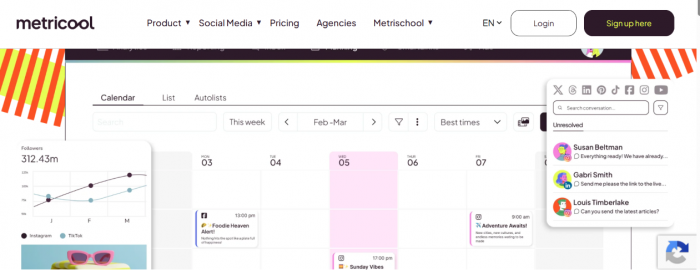
Metricool is the tool I reach for when reporting matters but the budget will not stretch to Sprout. Its competitor tracking and combined ad-and-organic analytics punch above the price.
Pricing
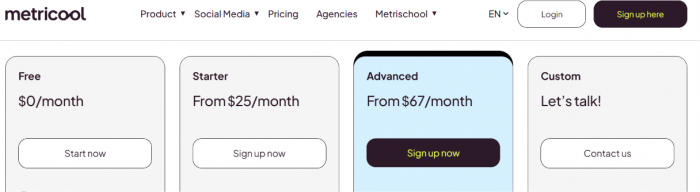
The free plan handles 1 brand with light posting but skips LinkedIn and X. Starter is around $25 a month for 5 brands, and Advanced is about $67 with approval workflows and API access. Pricing is per brand rather than per seat, so teammates do not each add a fee. One quirk to budget for: posting to X is a $5-per-account add-on on every tier.
Pros
- The best analytics-per-dollar in this roundup.
- Per-brand pricing with no per-seat fees.
- Wide network coverage plus ad reporting, including Google Business Profile.
Cons
- AI is basic. Copy ideas only, with no image or video generation.
- The free plan locks out LinkedIn and X.
- X posting carries a per-account add-on fee.
Best for freelancers and small agencies who live in the analytics and want multi-brand reporting without per-seat math.
6. SocialBee, the recycling specialist
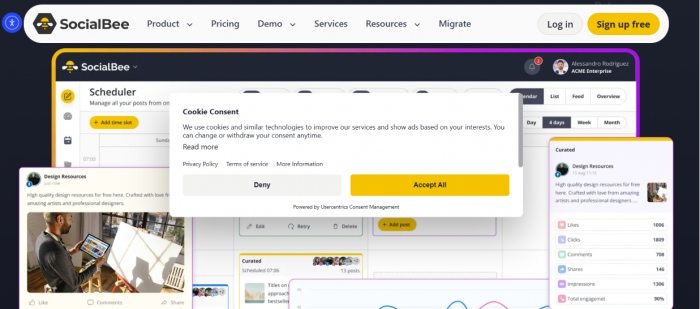
SocialBee's signature trick is category-based scheduling: you sort posts into buckets and it recycles evergreen content back into the queue, so your calendar never goes quiet. Its AI Copilot is more ambitious than Buffer's or Later's.
Pricing
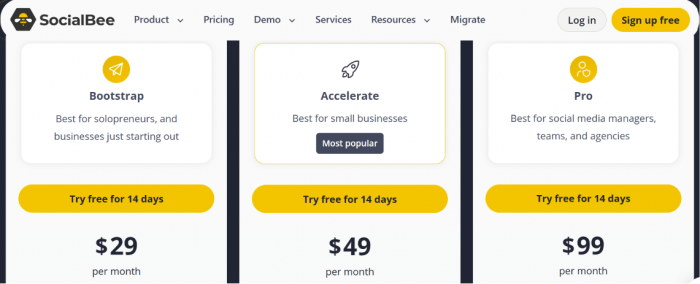
There is no free plan, but the 14-day trial needs no card. Bootstrap is $29 a month for 5 profiles and Accelerate is $49 for 10, with Pro at $99 for 25 profiles and team features. Agency plans run higher.
Pros
- Category-based evergreen recycling keeps the calendar full automatically.
- AI Copilot writes captions and generates images, going beyond text-only tools.
- It will even draft a full posting strategy from a short business description.
- Flat pricing undercuts per-seat enterprise tools.
Cons
- No free plan to test over the long term.
- No unified social inbox on lower tiers.
- Costs climb once you need many profiles or workspaces.
Best for solopreneurs and small teams built around evergreen content who want the calendar to keep itself full.
7. Publer, the budget pick that doesn't feel cheap
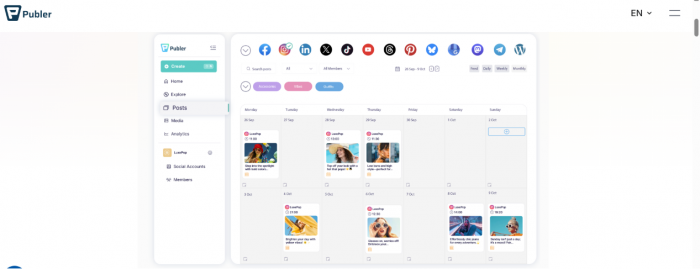
Publer is the value champion, and it reaches more networks than almost anyone, with Bluesky, Mastodon, Threads, and Telegram alongside the usual names. The surprise is the AI on its Business plan.
Pricing
The free plan is real: 3 accounts with 10 scheduled posts each, though X is excluded because of its API cost. Paid pricing is per account. Professional starts near $5 a month and adds X support plus unlimited posts. Business starts near $10, and that is where the AI lives.
Pros
- The widest platform coverage here, with 12-plus networks.
- A usable free plan that includes 3 accounts.
- Business AI bundles GPT-4 captions and DALL-E image generation at a low price.
- Bulk scheduling up to 500 posts from a spreadsheet.
Cons
- AI image generation is Business-only. Professional needs your own OpenAI key.
- Per-account pricing scales awkwardly for large agency portfolios.
- X is excluded from the free plan.
Best for tight budgets and creators with a long, varied list of platforms to feed.
8. Predis.ai, the AI-first newcomer
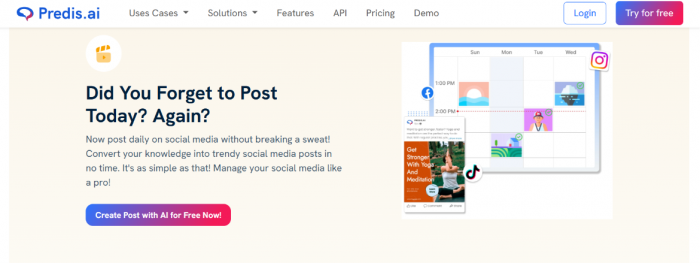
I added Predis because it answers the question the title asks. Most tools here started as schedulers and bolted on AI. Predis started from the AI and built scheduling around it, generating a caption plus a carousel or short video from a single brief.
Pricing
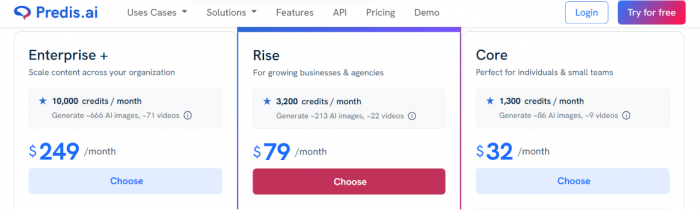
A free tier gives about 15 generated posts a month. Paid plans start around $32 a month and reach roughly $249 for agencies, with usage metered in credits. Auto-posting unlocks on the higher tiers.
Pros
- AI-native by design. It creates the post, then schedules it.
- Generates carousels and short video from a brief, with brand-kit consistency.
- Built-in competitor analysis for Instagram and Facebook.
Cons
- At high volume the output starts to look machine-made, the failure mode I flagged at the start.
- Auto-posting is gated to higher tiers.
- The interface is dated, and editing options feel limited.
Best for solo marketers and small businesses who want AI to handle the heavy lifting on creation, and who will edit before publishing.
Which one should you pick?
By now the pattern is clear. There is no single winner, only a best fit for your situation. Here is how I would decide.
Start with your platform mix. If Instagram or TikTok is your whole world, Later's visual planner is built for you. If you post to a long, odd list of networks, Publer covers the most ground.
Then weigh your team. Solo or tiny? Buffer and Publer keep costs sane. Running an agency or a multi-person team? Hootsuite and Sprout were built for approvals and seats, while SocialBee and Metricool give you team features without per-seat pricing.
Then ask how much you need the AI to make. If you only want captions tidied up, almost everything here qualifies, so pick on price. If you want the tool to produce the image or the video, the shortlist shrinks to SocialBee and Predis, with Publer's Business plan as the budget option.
Finally, set the budget. Publer and Buffer anchor the low end. Metricool gives you the most analytics per dollar. Sprout and Hootsuite ask for real money and earn it back only if you use the listening and reporting.
A few head-to-heads I get asked about:
- Buffer vs Hootsuite. Buffer for a solo creator or small brand on a budget. Hootsuite once you need social listening and client reporting, and can absorb per-seat costs.
- Later vs Metricool. Later if planning a beautiful feed is the point. Metricool if the monthly report is the point.
- SocialBee vs Publer. SocialBee for evergreen recycling and content categories. Publer for raw value and built-in image generation on Business, with a wider platform list too.
- Predis vs the rest. Predis when creation is your bottleneck, not scheduling. Any of the others when you already make your content and need a reliable way to publish it.
One shift to watch through the rest of 2026
The line I drew at the start, between schedulers with an AI button and tools that create content, is blurring fast. The traditional names are racing to add native image and video generation, and the AI-first tools are getting better at the boring reliability work that schedulers nailed years ago. A new category is forming around it: agentic tools that decide what to post, write it, make the visual, and publish it with light human review.
I am not recommending you hand the keys over yet. The output still needs an editor, and brand voice is easy to lose. But the gap between “I scheduled my posts” and “my posts schedule themselves” is closing, and the tool you pick today is a bet on which side of that line you want to stand on a year from now.
The bottom line
If you skipped to the end, here is where I landed. For most people starting today, Buffer is the safest first move: it is free to try properly and easy to learn, and you can graduate to something heavier later. If your bottleneck is making content rather than scheduling it, Predis is the only tool here built for that from the ground up. Everyone else sits between those two poles, and the comparison table above is the fastest way to find your spot.
The choice matters less than it feels. Almost every tool offers a free plan or a no-card trial. Pick the two that best fit your platforms and budget. Give each a single week of real posts, then keep whichever one gets out of your way. The names will keep shifting, but that test will not.