Do You Really Need to Pay for AI Content?
Last month I watched a friend who runs a small candle shop spend an afternoon stuck on a single Instagram post. She knew AI could help. She had also assumed every tool worth using sat behind a subscription she could not justify.
That assumption is the one I wanted to test.
So I ran the same prompt through a stack of free AI post generators to see which ones could produce a finished, postable result without costing a thing. Two surprises came out of it. A lot of tools that advertise “free” are really 7 or 14-day trials that charge your card the moment they end. And many of the rest only write the caption, leaving you to make the graphic yourself.
This guide covers the ones that survived both filters: genuinely free, and able to build the whole post, words and image, from a prompt. Below is how they work, how I scored them, and what each one is best at.
What an AI Social Media Post Generator Actually Is?
An AI social media post generator takes a short prompt and produces a post you can publish: a caption and a visual, shaped for a specific platform.
That last part matters, because plenty of tools sold as “post generators” only write the words. A caption is real content for a text feed like X or LinkedIn, but on Instagram or Facebook it is half the job. The tools in this article do both. You describe the post, and they write the caption, build or generate the graphic, and add hashtags and a call to action.
The good ones also respect the small things that make a post look native, like the character length each platform rewards and the image dimensions readers expect. An Instagram post and a LinkedIn update should not come back looking the same, and these tools are built to tell the difference.
How an AI Social Media Post Generator Works
The free tools in this article do something a plain chatbot does not: they hand back a finished post, words and graphics together, from one prompt. Here is the path most of them follow.
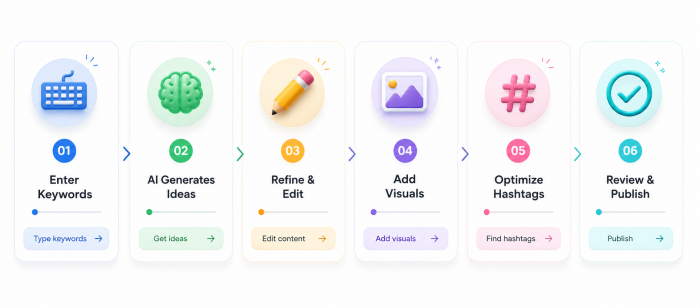
You describe the post
↓
The tool reads your intent
↓
It writes the caption
↓
It generates or lays out the visual
↓
Hashtags and a CTA get added
↓
Editable post, ready to publish
You start by typing what you want, naming the product, the platform, and the audience. Detail sharpens everything downstream.
The tool reads that prompt and picks up the signals it needs, like the network you named and the tone you asked for. It drafts the caption first.
Then comes the part text-only writers skip: it generates an image or drops your idea into a design, so you end up with something that looks like a post instead of a paragraph. It layers on hashtags and a call to action.
What lands on your screen is editable. Swap the photo, rewrite a line, or recolor the template before it goes out.
What You Get From a Free AI Content Creator
It saves time.
A finished post that used to mean writing a caption and then opening a separate design app now arrives from one prompt in seconds.
It removes the design barrier.
You do not need to know a design tool or hire anyone, since the AI builds the graphic for you.
It kills the blank-screen problem.
When you have no idea what to post, the tool hands you a full draft to react to instead of an empty canvas.
It hands you options.
Generate several versions of the same post in one sitting and keep the one that fits. That pays off when you publish daily.
It keeps you consistent.
The hardest part of social media is producing the hundredth post without running dry, and a generator keeps the ideas and the visuals coming.
Who Benefits Most From AI Content Creation
| User Type | How AI Helps |
|---|---|
| Small businesses | Finished promo posts without hiring a designer |
| Freelancers | Branded content to fill the gaps between client work |
| Agencies | Faster first drafts across multiple client accounts |
| Influencers | A graphic and caption when only the idea is ready |
| Startups | Marketing visuals on a near-zero budget |
| Ecommerce stores | Product posts that keep pace with the catalog |
How I Tested These AI Content Generators
To keep the comparison fair, every tool got the same prompt, and I never tweaked it to flatter one over another.
Here is the prompt I used:
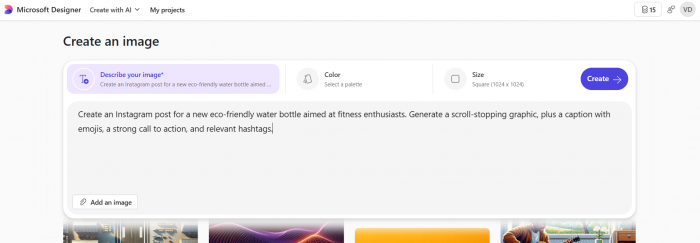
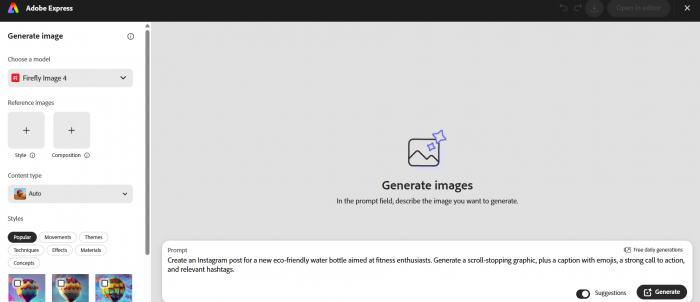
"Create an Instagram post for a new eco-friendly water bottle aimed at fitness enthusiasts. Generate a scroll-stopping graphic, plus a caption with emojis, a strong call to action, and relevant hashtags."

Then I scored each finished post against five things, weighted by how much each one decides whether a post works:
| Criterion | Weight |
|---|---|
| Design and visual quality | 25% |
| Caption quality | 20% |
| CTA and hashtags | 15% |
| Ease of use and speed | 20% |
| Free-plan value | 20% |
The weighting is a judgment call, so here is the reasoning. Design carries the most at 25%, because on a visual feed the image is what stops the thumb before anyone reads a word. Caption quality follows at 20%, since the words still have to hook and sell once the picture has done its job. CTA and hashtags take 15% together: they drive the action and the reach, but they are quick to fix by hand when a tool gets them wrong. Ease of use and speed sit at 20%, because the audience here is busy people without a designer. Free-plan value rounds out the last 20%, since this is an article about free tools, and a tight cap or a watermark changes how usable one really is. Same prompt, same five measures, every tool.
The Free AI Social Media Post Generators
1. Canva
What it is
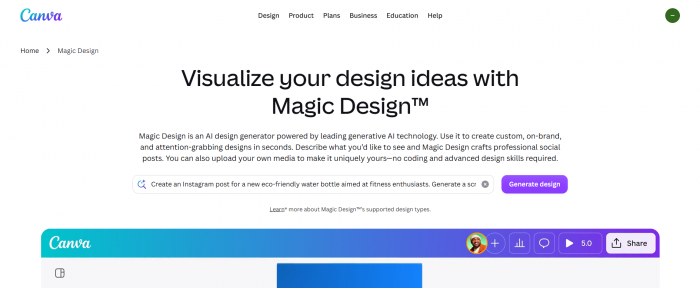
Canva is the design platform 250 million people already use, now with AI writing and image tools built in. Magic Write drafts the caption, Magic Design turns a prompt into a full post layout, and you finish everything inside the same editor.
What the result looked like
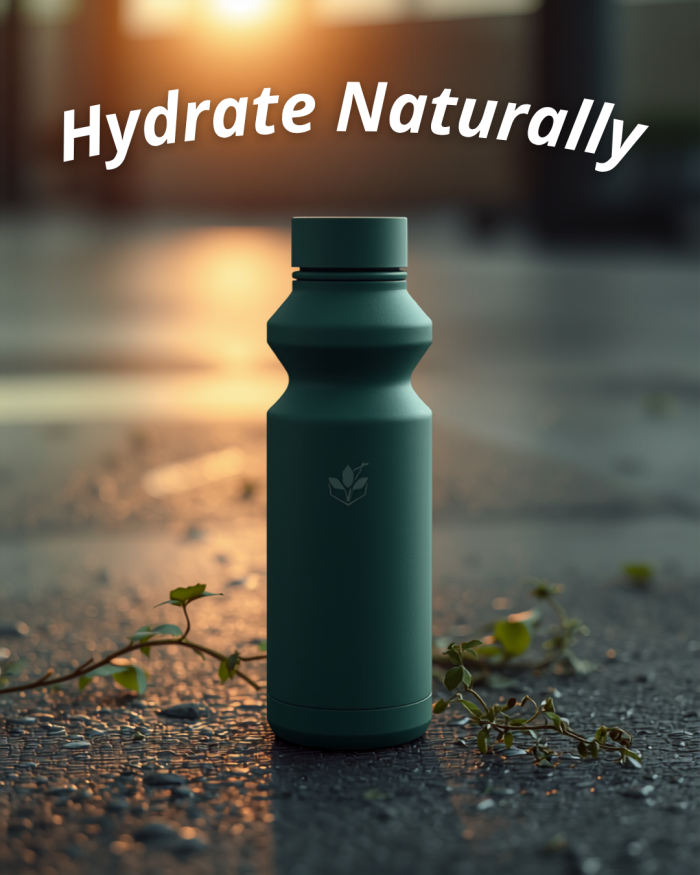
Canva returned the most finished-looking post of the four. The layout was clean and on-trend, the caption was solid if not the sharpest, and the hashtags were sensible. It looked ready to publish with almost no edits.
Strengths:
- The biggest template library here, so the graphic looks professional from the start
- The gentlest learning curve of the four
Watch-outs:
- Magic Write is capped at about 50 uses on the free plan, so heavy caption generation runs out
Score: 7.9 / 10
Design 9 · Caption 7 · CTA & hashtags 7 · Ease & speed 9 · Free-plan value 7
2. Microsoft Designer
What it is
Microsoft Designer pairs DALL-E 3 image generation with a light design editor. Type a prompt and it produces original graphics, then lets you arrange text around them.
What the result looked like
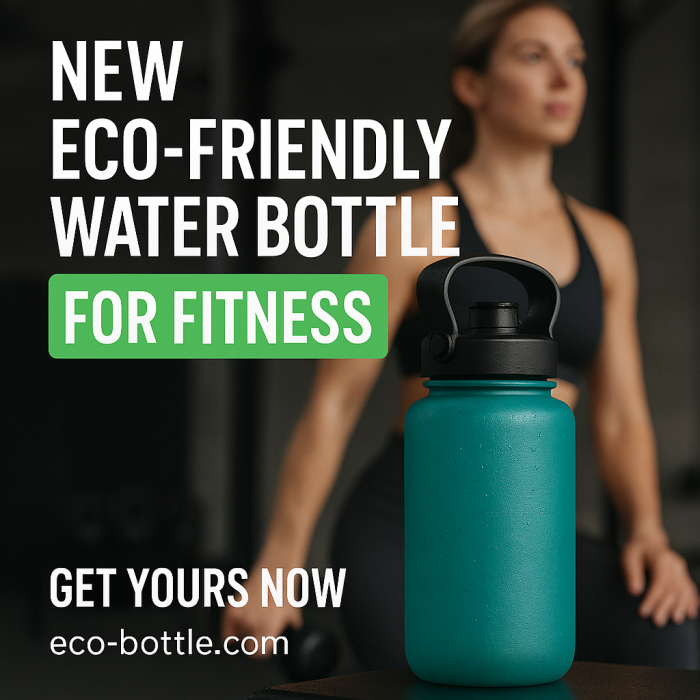
The designer produced the strongest original image of the group, clearly generated for the brief rather than pulled from a template. The caption was average and needed a tighter call to action before posting.
Strengths:
- The most generous free image generation, with near-unlimited standard-speed renders
- No credit card needed to start
Watch-outs:
- Commercial-use rights differ between free and paid users, so confirm yours before posting for a business
Score: 7.5 / 10
Design 8 · Caption 7 · CTA & hashtags 6 · Ease & speed 8 · Free-plan value 8
3. Simplified
What it is
Simplified bundles an AI writer, a design tool, a carousel maker, and a scheduler into one free-forever app, so you can go from prompt to scheduled post without switching tabs.
What the result looked like
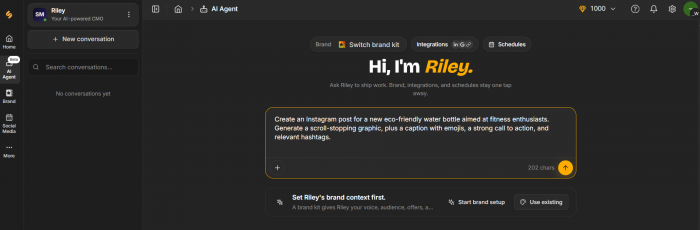
Simplified gave a competent post across the board, with a lively caption and a usable graphic. Nothing stood out as best-in-class, but the all-in-one flow meant the least app-switching of the four.

Strengths:
- Caption, design, and scheduling live in one place
- Handles carousels more cleanly than the others
Watch-outs:
- The free AI credits drain quickly under regular use
Score: 7.2 / 10
Design 7 · Caption 7 · CTA & hashtags 7 · Ease & speed 8 · Free-plan value 7
4. Adobe Express
What it is
Adobe Express brings Firefly AI into a polished design suite. It generates images and helps with the copy, with templates tuned for social formats.
What the result looked like
Express produced a clean, professional post, and its images are the safest to use commercially since Firefly trains on licensed content. The caption was fine and the CTA a little flat.

Strengths:
- Firefly images come with commercial licensing built in, which matters for brands
- Design quality matches Canva's polish
Watch-outs:
- The free Firefly credits are stingy, so you hit the cap fast
- Slightly steeper to learn than Canva
Score: 7.1 / 10
Design 8 · Caption 7 · CTA & hashtags 6 · Ease & speed 7 · Free-plan value 7
The Final Comparison
| Tool | Design | Caption | CTA & Tags | Ease | Free Plan | Overall |
|---|---|---|---|---|---|---|
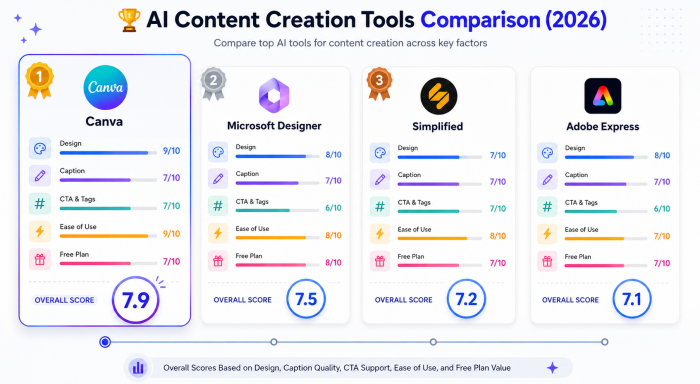
| Canva | 9 | 7 | 7 | 9 | 7 | 7.9 |
| Microsoft Designer | 8 | 7 | 6 | 8 | 8 | 7.5 |
| Simplified | 7 | 7 | 7 | 8 | 7 | 7.2 |
| Adobe Express | 8 | 7 | 6 | 7 | 7 | 7.1 |
Which Tool Wins for Your Situation
Best overall: Canva. The highest combined score, the most polished post for the least effort, and the gentlest learning curve if you are new to design.
Best for free AI images: Microsoft Designer. The most generous image generation on any free plan in this group.
Best all-in-one: Simplified. Caption, design, carousels, and scheduling in a single free app.
Best for copyright peace of mind: Adobe Express. Firefly's images come with commercial licensing built in.
My Final Advice
After running the same prompt through all four, the headline holds: you do not need a paid subscription to publish a finished social post. Free tools can hand you the caption and the graphic together.
Two cautions, both learned the hard way while testing. First, check what “free” actually means before you commit. A lot of well-known tools advertise free access that is really a 7 or 14-day trial, and the card gets charged the day it ends. Open the signup, look for a real $0 plan, and watch for watermarks and commercial-use terms.
Second, treat the output as a first draft. The AI gets you most of the way in seconds, but the post that performs is the one where you swap in a real product photo, tighten the caption in your own voice, and fix a CTA that reads like a robot wrote it.
If you are starting from zero, open Canva first. If you want original AI imagery at no cost, Microsoft Designer. If you would rather write, design, and schedule in one place, Simplified. And if you are posting for a brand and need the images to be commercially clean, Adobe Express.
The thing that actually moves your numbers is not which tool you pick. It is publishing often enough that a blank feed stops being the problem.