AI will not build your brand story or make you a top creator overnight, but the right AI stack can cut production time dramatically. The real challenge is no longer finding tools. It is choosing a focused set that actually improves ideation, scripting, editing, design, publishing, and repurposing without adding more complexity.
This guide breaks down the 10 best AI tools for content creators in 2026, with a practical focus on where each tool saves time, how it fits into a real workflow, and how creators can use AI without losing the human voice behind their content.
Snapshot: Your 10-Tool AI Stack
Core AI Tools at a Glance
| Tool | Main role in your stack | Where it saves you most time |
| ChatGPT | Idea engine & draft buddy | Brainstorming, outlines, rewrites |
| Notion AI | Knowledge brain | Turning scattered notes into concrete plans |
| Jasper | Long-form writing muscle | Expanding outlines into full articles |
| Surfer SEO | Search visibility compass | Structuring content to actually rank |
| Canva | Visual layer | Thumbnails, covers, carousels, quick graphics |
| Descript | Edit room | Fixing video/audio without timeline hell |
| Pictory | Blog-to-video converter | Turning text into short or long videos |
| InVideo | Template-first video studio | Branded promos and social-first videos |
| Murf | Voice on demand | Voiceovers and multi-language narration |
| Buffer AI | Distribution autopilot | Captions, variations, and scheduling |
Use this table as a menu, not a shopping list: you do not need all ten to start; you need the right four to six for where you are right now.
Layer 1: Thinking – Ideas and Research
1. ChatGPT – The “What If We…” Partner

ChatGPT is the person in your team who never runs out of ideas and never gets tired of your “what if” questions. It is not there to decide your voice; it is there to stop you from staring at a blank doc.
How a creator actually uses it in a week
Imagine you are planning content for the next 30 days. You give ChatGPT a rough niche (“Instagram growth tips for solo creators”) and ask for:
● 20 content angles split across three formats: long-form posts, short videos, carousels.
● 10 “spicy” hooks that go beyond “Here are 5 tips…” and actually start conversations.
● A content calendar structure: which idea should be a pillar piece, which should be a supporting post, which ones can become Reels.
Then, as you pick winners, you dive deeper: turn one idea into a YouTube outline, another into a newsletter structure, and another into a thread skeleton. ChatGPT’s job here is to generate structure and variation fast, so your time goes into choosing and sharpening.
Where it quietly changes the game
It makes idea generation a process instead of a mood. You can sit down on a Monday, spend 90 minutes interacting with it, and leave with a month’s worth of structured prompts and outlines, all filtered through your judgment.
2. Notion AI – The Brain That Remembers Everything
Notion alone is a good second brain; Notion with AI feels like that friend who can walk into your messy room and somehow pull together an outfit that works. It is where your raw material turns into organized, reusable assets.
What this looks like in practice
You keep everything in Notion: YouTube ideas, newsletter links, half-finished scripts, Q&As from your audience, screenshots of comments. On its own, that quickly becomes a graveyard. With Notion AI:
● You highlight messy meeting notes and ask it to extract action items and content ideas.
● You take 15 scattered page ideas and ask it to group them into series or themes.
● You turn raw transcripts from a podcast episode into a show outline, summary, and bullet-point social post prompts.
The key shift is that you are no longer scared of dumping ideas “because it will be hard to find later.” The more you pour into Notion, the smarter and more helpful that knowledge base becomes.
Layer 2: Making – Writing, Editing, and SEO
3. Jasper – When You Need a Draft and You Need It Today
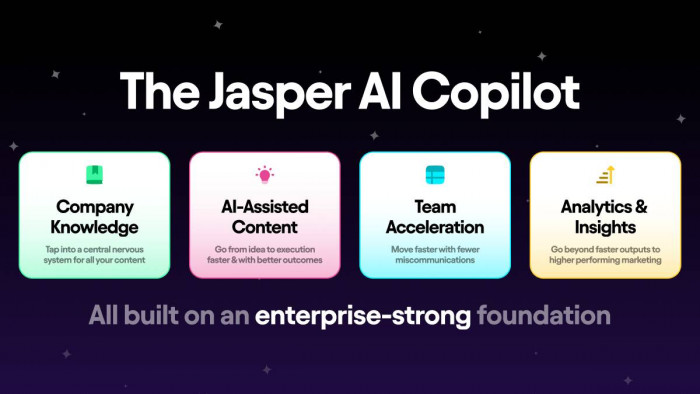
Jasper is that reliable “junior writer” who is very fast with first drafts and surprisingly good at staying on brand once you teach it your voice. It is built for marketing-style writing: blogs, emails, sales pages, and social captions.
How a blog post really comes together with Jasper
1. You bring the strategy: topic, angle, target reader, and a rough outline.
2. You plug that into Jasper’s editor and ask it to expand each section into 150–300 words, in your chosen voice.
3. You then step in with your specialty:
● You inject real examples from clients, your own data, screenshots, or case studies.
● You trim fluff, rephrase anything that feels “too AI,” and add nuance or opinion.
Instead of burning three hours trying to write a clean first draft, you get to the “editing and enriching” stage much faster.
Where Jasper fits and where it doesn’t
Jasper is perfect when you produce a lot of written content that follows similar patterns (e.g., tool reviews, list posts, email sequences). It is not there to replace your deepest personal essays or your one big “flagship” story; those still need more of you.
4. Surfer SEO – The GPS for Your Long-Form Content
Surfer is that analytical friend who says, “Love your idea, but here’s what’s actually working on page one right now.” It does not decide what you say; it helps you say it in a way search engines understand and reward.
A real-world workflow
● Before writing, you check the landscape: plug in your primary keyword and see what kind of content is ranking (guides, comparisons, checklists).
● While writing (or after using Jasper/ChatGPT), you paste your draft into Surfer’s editor. It gives you a score and suggests structure, related terms, and questions your readers are already asking.
● You use those suggestions as prompts: “Can I answer this in a useful way?” If yes, you expand; if no, you skip.
Surfer does not make your article good; it makes a good article easier to find. Your voice, your opinions, and your examples are still the things that make someone stay after they click.
Writing & SEO Trio in One View
| Tool | Think of it as | Use it when you |
| ChatGPT | Idea and outline partner | Need angles, questions, and structure |
| Jasper | Fast first-draft assistant | Have a clear outline and brand voice |
| Surfer | SEO-savvy structural advisor | Want that article to rank and stay competitive |
Layer 2: Making – Visuals and Design
5. Canva – Your In-House Design Department (Without the Department)
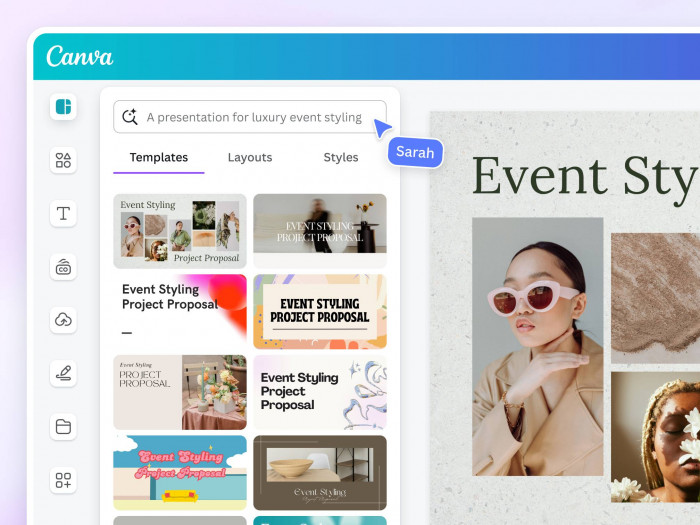
Canva is the reason your content looks like you have a designer on retainer, even when it is just you and a laptop. With its AI nudges, it can stop your designs from looking “template-ly” and help you move from idea to asset in a single sitting.
A typical visual pipeline with Canva
● You create a handful of “brand base templates” for thumbnails, carousels, Reels covers, blog banners, and lead magnets.
● Each time you publish, you duplicate a base, update the text and main image, and let Canva suggest layout tweaks or alternative styles.
● For new visuals, you use AI features to generate background images, clean up photos, or try different styles before settling on one.
The magic is not that Canva will randomly make good designs for you; it is that once you put in a bit of initial brand work, it turns visual production into a quick, almost mechanical step instead of a weekly headache.
Layer 2: Making – Video and Audio
6. Descript – Editing Like You’re Redlining a Google Doc
Descript is for the creator who loves talking but hates traditional editing timelines. If you can edit a document, you can edit a podcast or talking-head video in Descript.
How it changes your editing habits
You record in your usual way—Zoom call, camera, or mic. You then import the file into Descript, which produces a transcript. From there:
● You remove “ums,” stumbles, and entire tangents by deleting the text; the audio and video follow.
● You can rearrange sections by cutting and pasting blocks of text.
● For minor script issues, you can use an overdub-style fix instead of re-recording the entire segment.
Instead of dreading the edit, you treat it like a quick “clean up this doc” task. This alone is enough to make weekly podcasts or videos realistic for a lot of solo creators.
7. Pictory – Letting Your Blog Posts Live a Second Life on Video

Pictory is what you use when you look at a high-performing blog post and think, “This should be a video…but I do not have time to build it manually.” Its specialty is turning text into watchable video with captions and visuals in place.
What a repurposing session looks like
● You paste an article or script into Pictory.
● It picks out key sentences and turns them into scenes, layering in stock clips or simple visuals.
● You adjust which lines you want onscreen, tweak the visuals, add your logo and brand colors, then export a full video or multiple short clips.
Is it going to win a film festival? No. Is it good enough to publish as educational YouTube videos, Reels, or TikToks that point back to your long-form work? Absolutely.
8. InVideo – Your Shortcut to Branded Social and Promo Videos
Where Pictory shines at text-based repurposing, InVideo shines at “I know the message, I want it to look like an ad or a polished social clip.” It is a template-first studio with AI helping in the background.
How creators lean on it
You pick a template that matches your goal: listicle explainer, product teaser, quote video, or launch announcement. You swap in your text, media, and branding, and the AI handles a lot of the scene timing, transitions, and animation decisions for you.
InVideo is ideal when you need your feed to look consistent and “on brand,” but you do not want every single video to be a from-scratch editing project. Think launch trailers, “new video is live” announcements, or regular “tip of the day” clips.
9. Murf – The Voice Actor Who Never Cancels

Murf gives you a library of voices that sound far closer to real humans than the robotic text-to-speech you grew up with. This is especially useful if you are camera-shy, producing in multiple languages, or just tired of recording pickup lines.
Where Murf earns its place
● You have a screen-recorded tutorial: instead of recording the voiceover in one perfect take, you write a script and let Murf handle the narration.
● You want to test Spanish or German versions of your best-performing videos; you feed translated scripts to different voices and publish localized variants.
● You are building a course and want consistent audio across dozens of lessons without fighting your voice or your environment every day.
Murf is not meant to replace your face or personality; it is there for the kind of instructional or multi-language content where clarity and consistency beat raw “authenticity.”
Video & Audio Tool Roles in One Table
| Tool | Best at | Ideal creator use case |
| Descript | Cleaning and structuring spoken content | Podcasters, talking-head channels |
| Pictory | Turning text into ready-to-watch video | Bloggers, newsletter writers, educators |
| InVideo | Branded social and promo-style videos | Creators with frequent launches and promos |
| Murf | High-quality AI voiceovers | Tutorial, course, and multi-language creators |
Layer 3: Moving – Distribution and Repurposing
10. Buffer with AI – Posting Like a Team, Even When It’s Just You
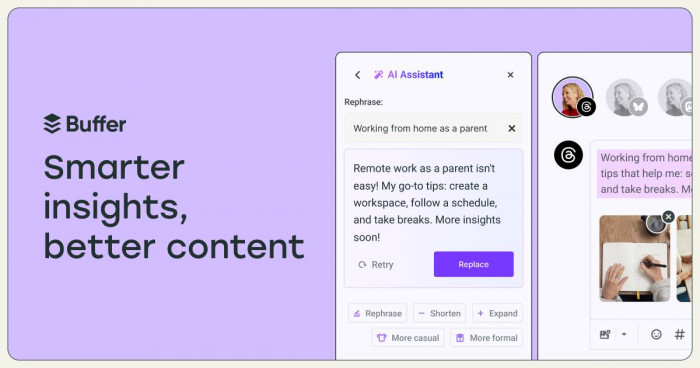
Buffer has always been about scheduling and consistency; the AI features simply remove a lot of the friction between “I have a piece of content” and “I have 10 platform-appropriate posts ready to go.”
How a single asset becomes a week of posts
Let’s say you publish a new video or a long-form blog. You drop the link and key points into Buffer and use AI assistance to:
● Generate multiple caption angles: educational summary, bold claim, question-led, story-driven.
● Adjust tone for each platform: more casual on Instagram, more direct on LinkedIn, more concise on X.
● Stagger posting times and formats throughout the week, so you are not relying on manual posting every day.
Buffer’s real superpower is psychological: once your content is “loaded into the system,” your job becomes recording and writing, not chasing time zones and optimal post timing.
Putting It Together: Sample Stacks You Can Actually Run
You do not need all ten tools tomorrow morning. The smartest way to adopt AI is to build a stack around your main format and your biggest current bottleneck.
Example Stacks
| Creator type | Stack to start with | Why this stack first |
| Solo blogger | ChatGPT, Jasper, Surfer, Canva | You win with strong, consistent articles and visuals that also rank in search |
| YouTube + Shorts | ChatGPT, Descript, Pictory or InVideo, Canva, Murf (optional) | You talk, the tools clean, cut, and dress your videos for multiple platforms |
| Podcaster/educator | Notion AI, Descript, Murf, Buffer AI | You think in episodes and lessons; these tools handle structure, polish, and reach |
Treat these as starting points, not rules. The moment a new bottleneck appears—maybe distribution becomes harder than creation—you add or swap a tool with intention, not impulse.
Keeping Your Content Human While AI Does the Heavy Lifting
The more tools you add, the easier it is to lose your fingerprint. The fix is not “use less AI”; it is to decide exactly where AI is allowed to lead and where it is only allowed to assist.
A simple rule that works for many creators:
● Let AI lead on structure and options: outlines, title variations, caption ideas, rough cuts.
● Let AI assist on polish: grammar, pacing, small design tweaks, minor edits.
● Keep humans (you) in charge of story, opinion, and key examples: why this topic matters, what you have seen in the real world, what you actually recommend.
Verdict
In a landscape overflowing with “all‑in‑one” promises, the creators who actually win are the ones who build a small, intentional AI stack and then master it. The 10 tools in this guide are not magic buttons, but together they cover every serious creator’s reality: ideas, scripts, design, video, audio, and distribution. If you let AI handle the repetitive, mechanical work and reserve your energy for the stories, opinions, and experiments only you can bring, you get the best of both worlds—consistent, high-volume output that still feels unmistakably yours.