Instagram is now an AI‑accelerated platform. If you are still editing every Reel manually, writing each caption from scratch, replying to DMs one by one, and posting without data, you are competing against creators who have automated half of that workload. The right AI stack helps you create better content, stay consistent, and turn attention into followers and customers without burning out.
In this guide, we’ll break down eight of the best AI tools for Instagram growth right now: Canva AI, InVideo AI, CapCut, Jasper, Buffer with AI, Flick, ManyChat, and Metricool. And before you start using any growth tools, make sure your account is set up correctly by following our step‑by‑step guide on How To Optimize Your Instagram Profile for Growth.
1. Canva AI : Rapid Design for Carousels and Stories
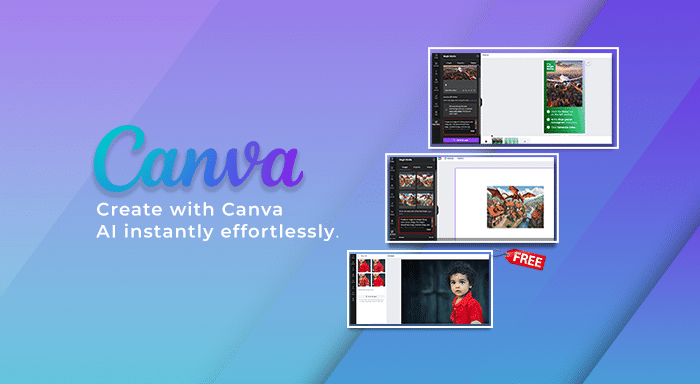
Canva AI is the visual backbone for many Instagram creators. It helps you move from idea to polished carousel, Story, or Reel cover in minutes without needing traditional design skills.
Key Features
● AI‑powered “Magic Design” that turns a prompt or uploaded content into full Instagram‑ready layouts.
● Integrated AI image generation for custom backgrounds, illustrations, and elements.
● Magic Edit and background removal for quick clean‑ups and object tweaks.
● Brand kits to lock in your fonts, colors, and logos for consistent visuals across posts.
How Canva AI Accelerates Instagram Growth
Strong visuals are the first filter: if your content doesn’t look clean and intentional, people scroll past before they ever read your caption. Canva AI compresses the time it takes to create those high‑impact designs, which means you can maintain a consistent posting schedule and test more creative ideas without burning out. The pre‑built layouts and typography choices also bake in design best practices, so even non‑designers can produce content that looks polished and trustworthy at a glance.
Ideal Users
Canva AI is a perfect fit for solo creators, coaches, educators, and small brands that publish lots of carousels, infographics, and Stories but don’t have an in‑house designer. Agencies managing multiple clients also benefit from brand kits and repeatable templates that keep feeds on‑brand while still moving quickly.
2. InVideo AI : Scalable Reels and Short‑Form Video
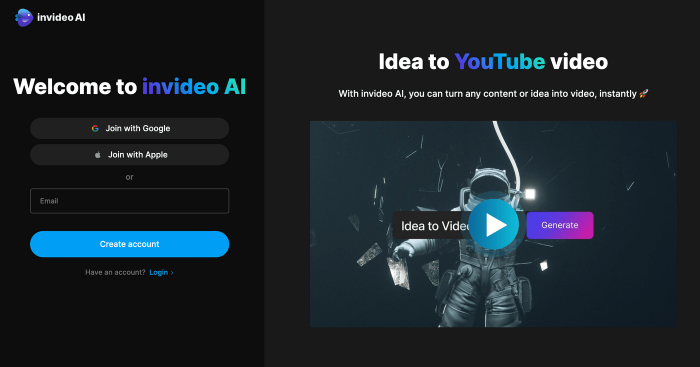
InVideo AI is built for creators who know Reels drive reach, but don’t have time to manually edit every clip. It turns prompts or scripts into finished vertical videos with scenes, B‑roll, captions, and voiceover.
Key Features
● Text‑to‑video workflows that convert a script or prompt into complete Reels.
● Vertical video templates designed specifically for platforms like Instagram and TikTok.
● Built‑in stock footage, music, and text overlays to speed up production.
● Brand‑level customization for colors, fonts, and logos so your videos stay recognizable.
How InVideo AI Accelerates Instagram Growth
Reels are still one of the strongest discovery surfaces on Instagram, but editing can be a bottleneck. InVideo AI removes much of that friction: instead of spending hours in a timeline, you can spin up multiple variations of a Reel from one core idea, test different hooks, and keep your account active with video content even on busy weeks. The more consistently you publish engaging Reels, the more chances you have to hit Explore, land on suggested feeds, and reach people who don’t already follow you.
Ideal Users
InVideo AI works especially well for faceless brands, niche theme pages, and educators who repurpose existing content (articles, podcasts, webinars) into short videos. It’s also a strong option for agencies that need a repeatable, scalable workflow to produce vertical content for multiple clients without building a full video team.
3. CapCut : Mobile‑First Editing for Viral‑Style Reels
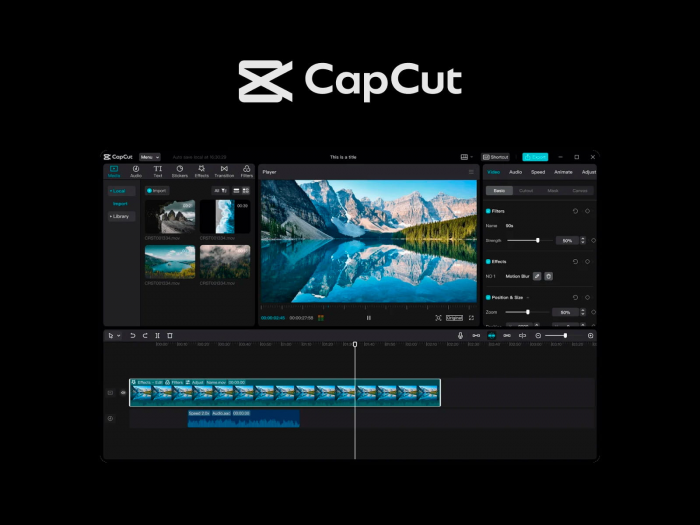
CapCut has become the default editor for creators who film on their phones and want fast, social‑native Reels. Its AI tools clean up footage and add trendy effects with minimal effort.
Key Features
CapCut offers AI auto‑captioning, smart cuts that remove silences and filler, background removal, and automatic text highlights that emphasize key words as you speak. It includes trending templates that mirror what already works on Reels and TikTok, allowing you to plug in your own clips while retaining proven pacing and effects. The app is tightly integrated with vertical video platforms, so exporting in the correct format is frictionless.
How CapCut Fuels Instagram Growth
Editing quality directly affects watch time and completion rate, which are key signals in Instagram’s ranking. CapCut’s AI‑assisted cuts, captions, and templates help you produce tight, engaging Reels that hold attention longer without needing professional editing skills. Faster turnaround means you can jump on trends in real time, publish more experiments, and find formats that consistently resonate with your audience.
Ideal Users
CapCut is ideal for lifestyle creators, influencers, vloggers, and small businesses that shoot most of their content on mobile. It’s particularly useful for beginners who want Reels that feel “native” to the platform without learning complex desktop editing software.
4. Jasper : On‑Brand Captions, Hooks, and Scripts
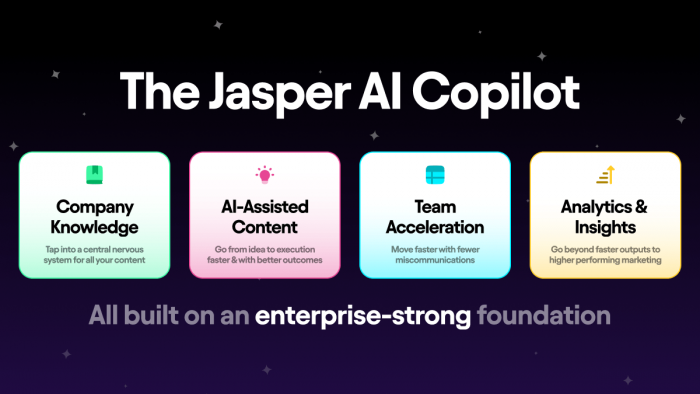
Jasper is an AI writing tool geared towards marketers and brands. With templates and brand‑voice training, it turns rough ideas into Instagram‑ready captions, hooks, and even Reel scripts.
Key Features
● Pre‑built frameworks for social captions, ad copy, and content ideas.
● Brand Voice training that learns from your existing content to mimic your style.
● AI workflows to spin one idea into multiple caption variations and hooks.
● Repurposing tools that convert blog posts, newsletters, or scripts into Instagram posts.
How Jasper Accelerates Instagram Growth
The same visual, paired with a weak hook or bland caption, will underperform. Jasper helps you generate multiple angles, different openings, story arcs, and CTAs so you can quickly test what actually gets people to stop, read, and interact. Once Jasper understands your tone, it becomes much easier to maintain consistency across posts, which builds recognizability and trust. It also removes the “blank page” problem, so writing no longer slows down your posting rhythm.
Ideal Users
Jasper is a great choice for creators and small brands who care about maintaining a distinct voice but don’t want to spend hours word‑smithing every caption. It’s especially useful for those who already produce other content (blogs, YouTube, podcasts) and want to systematically repurpose that material into Instagram‑native posts.
5. Buffer with AI : Consistent Scheduling and Smarter Copy
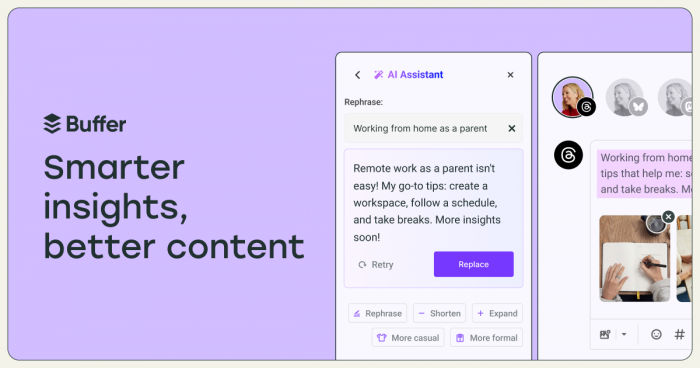
Buffer has long been a simple, reliable scheduler; with AI added, it also becomes a helpful assistant for captions and post ideas. It brings planning, publishing, and basic copy assistance together in one place.
Key Features
Buffer allows you to schedule posts, Reels, and Stories to Instagram with a drag‑and‑drop calendar, while its AI assistant can suggest captions, rewrite your drafts in different tones, and create variations for A/B testing. It can also repurpose one idea into multiple posts for different platforms, keeping messaging aligned but adapted. Basic analytics highlight your best‑performing content and posting times.
How Buffer Speeds Up Instagram Growth
Growth depends heavily on consistency. Buffer ensures your posts go out on time, even when you’re offline or in deep work, which keeps your audience engaged and signals reliability to the algorithm. The AI caption assistant saves you from staring at empty boxes when you batch schedule, giving you a solid starting point to refine rather than starting from zero. Over time, the combination of regular publishing and small iterative tweaks based on performance data compounds into better reach and engagement.
Ideal Users
Buffer with AI is particularly well‑suited to solo creators, freelancers, and small businesses who want a straightforward hub to schedule and lightly optimise content. It’s also a good fit if you’re juggling multiple channels and want to keep your workflow simple rather than adopting an enterprise‑grade suite.
6. Flick : AI‑Backed Hashtag Strategy and Content Ideas
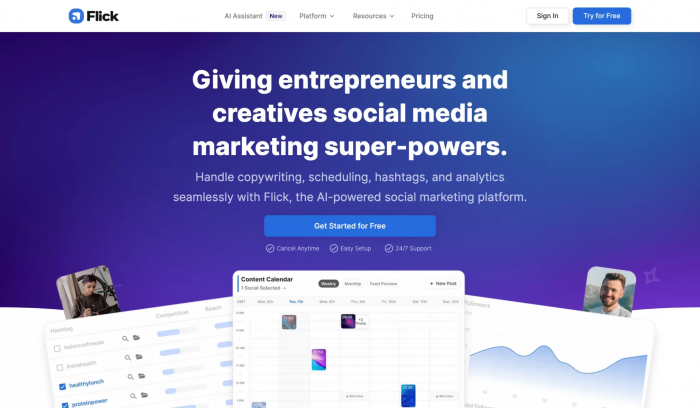
Flick focuses on hashtags and content planning. It uses AI and performance data to help you choose hashtags that match your account size and niche, rather than guessing or copying competitors.
Key Features
● Hashtag discovery with metrics like difficulty, potential reach, and relevance.
● Saved hashtag collections for different content pillars or campaign themes.
● Analytics showing which hashtag sets drive impressions and engagement over time.
● Content idea tools that suggest topics and angles aligned with your niche.
How Flick Accelerates Instagram Growth
Finding the right hashtag mix helps your content surface on targeted explore pages and search results instead of disappearing into overly broad tags. Flick’s recommendations push you towards combinations that give smaller accounts a realistic chance of ranking, so your posts get in front of people actively interested in your topic. As you publish more, the analytics feedback loop shows which tags and themes are actually contributing to growth, allowing you to refine strategy instead of relying on intuition.
Ideal Users
Flick is ideal for educators, niche experts, local businesses, and creators who treat Instagram as a search/discovery channel rather than just a broadcast feed. It’s also valuable for social media managers who want a more systematic and reportable approach to hashtags for multiple clients.
7. ManyChat : Automated DMs and Comment Workflows
ManyChat focuses on conversations. It connects to Instagram DMs and comments to automate replies, deliver resources, and capture leads, turning engagement into structured interactions.
Key Features
● Automated DM sequences triggered by comments, keywords, or Story interactions.
● Flows that send links, lead magnets, or product info when users request them.
● Integrations with email services and CRMs to sync new contacts automatically.
● Visual builder to design conversation paths without needing to code.
How ManyChat Powers Instagram Growth
When people comment things like “info,” “link,” or specific keywords, ManyChat can instantly follow up with a DM containing exactly what they asked for. That immediacy increases satisfaction and encourages more people to comment, which in turn boosts engagement metrics on your posts. Once in the DM, automated sequences can nurture followers into subscribers or customers without you manually handling every message. This combination of increased comment volume and structured follow‑up makes your profile both more visible and more profitable.
Ideal Users
ManyChat is especially powerful for coaches, service providers, course creators, and ecommerce brands that use Instagram to generate leads or sales. It’s also a strong tool for anyone running giveaways, launches, or challenges that rely heavily on keywords in comments and DMs.
8. Metricool : Data‑Driven Decisions and Optimization
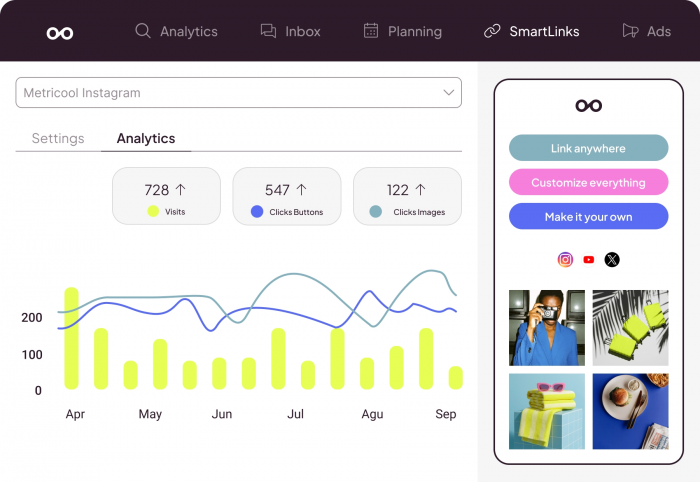
Metricool is less about creating content and more about understanding performance. It gives you a detailed view of what’s working (and what isn’t) on your Instagram so you can make informed decisions.
Key Features
Metricool centralizes metrics like reach, impressions, saves, clicks, follower growth, and best‑performing content into dashboards and reports. Its AI analyzes your posting history to recommend optimal posting times, content formats, and frequency. It can also track competitors and provide benchmarks, which is particularly useful when you want to see how your account stacks up in your niche.
How Metricool Accelerates Instagram Growth
Every piece of content you publish is a data point. Metricool aggregates those data points and reveals patterns: which topics drive saves, which formats attract new followers, which posting windows produce the best engagement. Instead of guessing what to do next month, you can double down on proven winners and drop formats that consistently underperform. Over time, that optimization tightens your strategy, improves ROI on your effort, and helps you grow in a more predictable way.
Ideal Users
Metricool is a great match for data‑minded creators, marketing teams, and agencies running multiple accounts. It’s particularly useful if you report to clients or stakeholders and need clear evidence of what content is driving results and why you’re recommending specific changes.
Verdict: Build a Focused AI Stack, Not a Frankenstein
You don’t need all eight tools to grow on Instagram; you need the right two to four that match your strengths, weaknesses, and goals. A lean but powerful combo for most creators looks like this: Canva AI or CapCut for visuals and Reels, Jasper for on‑brand captions and hooks, Buffer for consistent scheduling, and either Flick (if discovery and hashtags are your focus) or ManyChat/Metricool (if you’re more concerned with leads or analytics).
Used well, these tools don’t make your content feel robotic they free up your time and mental energy so you can invest more of yourself into ideas, storytelling, and community building. The accounts that will win over the next few years are the ones that pair human insight and taste with an efficient AI engine behind the scenes.