You know that feeling when you open your social media calendar and it stares back at you like a blank spreadsheet? No ideas, no captions, no clue when to post, just pressure. The right AI scheduler doesn’t just “help” with that; it quietly takes half of that load off your plate by turning what you already have into a steady, smart posting rhythm. Instead of spending your best hours moving tiles around, you set the rules once and let AI handle the heavy lifting in the background.
Below are eight of the best AI tools for social media scheduling right now what they actually do, how they fit into your day‑to‑day workflow and who they’re really built for.
1. Buffer: the cleanest way to stay consistent
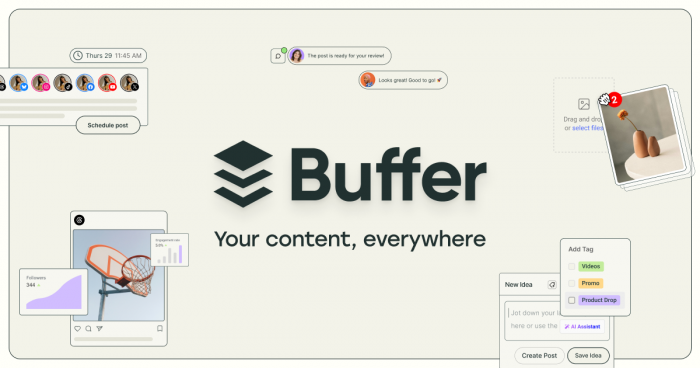
Buffer works best for people who want social media scheduling to feel calm, fast and easy to maintain. Its AI assistant helps turn a rough thought, article link or old post into several cleaner caption variations, which means you spend less time rewriting the same idea for different platforms. It also supports queue‑based scheduling and uses performance data to help guide posting times, making it a strong fit for creators and smaller teams that care more about consistency than complexity.
For day‑to‑day scheduling, Buffer is helpful because it removes friction from the part people usually avoid: writing. Instead of opening the scheduler and facing a blank composer, you already have draft options, a queue to fill and a lightweight calendar that doesn’t overwhelm you with extra layers.
Best for: Small teams, solo creators and businesses that want a simple scheduler with useful AI writing support.
| Buffer overview | Details |
| Core strength | Clean scheduling and AI caption drafting. |
| How it helps with scheduling | Fills queues faster, rewrites posts, supports timing decisions using your posting workflow. |
| Starting pricing | Free plan available; paid plans start at about $6/month per channel. |
2. Publer: affordable automation without the clutter
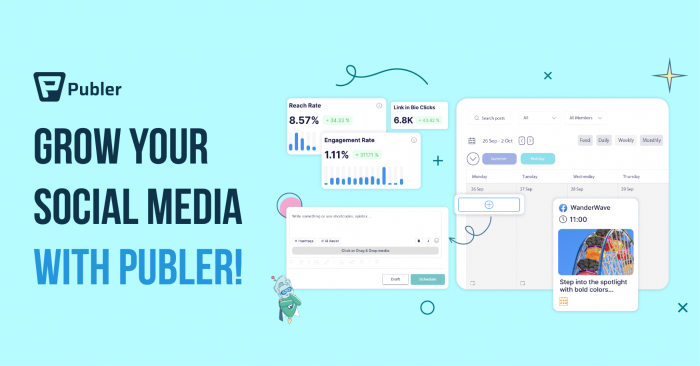
Publer is a smart option if you want a lower‑cost scheduler that still gives you practical AI help. It offers caption generation, post variations, content recycling and bulk scheduling, all of which make it easier to keep multiple channels active without turning your workflow into a full‑time job. In other words, it’s less about flashy AI and more about using AI where it actually saves time.
What makes Publer useful for scheduling is how well it handles repetition. If you often repurpose similar ideas, evergreen content or recurring updates, Publer lets you rework those posts with AI assistance so they don’t feel copied and pasted every time. For a freelancer, local business or growing brand, that balance between affordability and automation is hard to ignore.
Best for: Budget‑conscious creators, freelancers and small businesses that want practical scheduling automation at a lower price point.
| Publer overview | Details |
| Core strength | Affordable scheduling with AI rewriting and recycling tools. |
| How it helps with scheduling | Handles bulk scheduling, recurring posts and quicker caption creation. |
| Starting pricing | Free plan available; paid plans start around $5/month or about $12/month for broader professional use, depending on plan structure. |
3. Hootsuite: still a strong choice for multi‑account operations
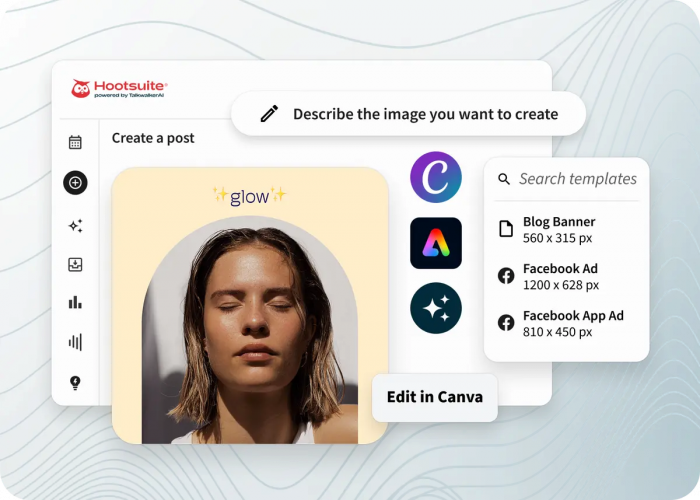
Hootsuite remains one of the more capable options when scheduling involves multiple stakeholders, social profiles and approval layers. Its AI tools help rewrite copy for different platforms, while the larger system handles streams, planning, approvals and centralized publishing across channels. That makes it more than a scheduler; it becomes a social operations hub.
Where Hootsuite helps most with scheduling is scale. If your team is juggling multiple campaigns, client accounts or brand regions, the platform’s scheduling engine and AI copy support can help reduce the time spent adapting the same campaign message across different channels. It may feel heavy for solo users, but for busy teams, that structure can be a genuine advantage.
Best for: Agencies and in‑house marketing teams managing many profiles and layered approval workflows.
| Hootsuite overview | Details |
| Core strength | Team scheduling, approvals and multi‑channel campaign management. |
| How it helps with scheduling | Centralizes calendars, rewrites copy for multiple platforms and supports high‑volume scheduling. |
| Starting pricing | Commonly cited starting pricing is around $99/month to $199/month depending on plan model and seat structure. |
4. Sprout Social: scheduling guided by performance data
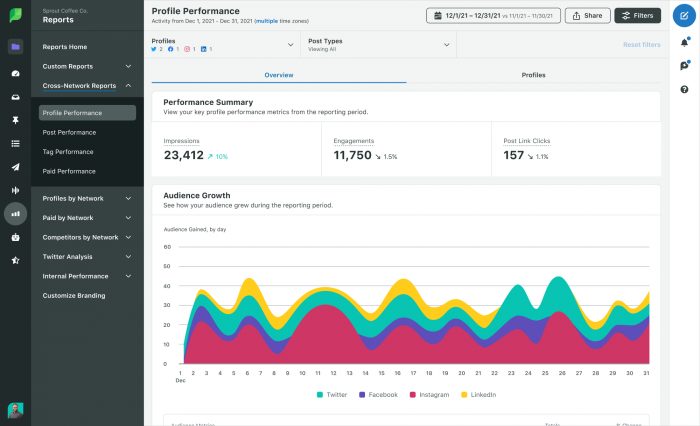
Sprout Social is the tool people usually choose when they want reporting and scheduling to work together. Its AI‑driven timing recommendations, especially through features like ViralPost, are designed to help teams publish when audiences are actually most likely to engage, rather than relying on guesswork. That makes it especially useful for brands that actively review performance and want the scheduler to become smarter over time.
The platform also supports AI‑assisted writing and optimization, so the scheduling process doesn’t stop at choosing a date and time. It can also help refine the content itself, which matters when you’re trying to improve output quality while keeping campaigns consistent across different networks.
Best for: Data‑driven brands, larger teams and agencies that care about analytics as much as publishing.
| Sprout Social overview | Details |
| Core strength | AI‑supported scheduling backed by serious analytics. |
| How it helps with scheduling | Uses engagement data to recommend stronger publish times and supports optimized post creation. |
| Starting pricing | Starts around $199/month per seat on widely cited plans. |
5. SocialBee: a scheduler that thinks in content categories
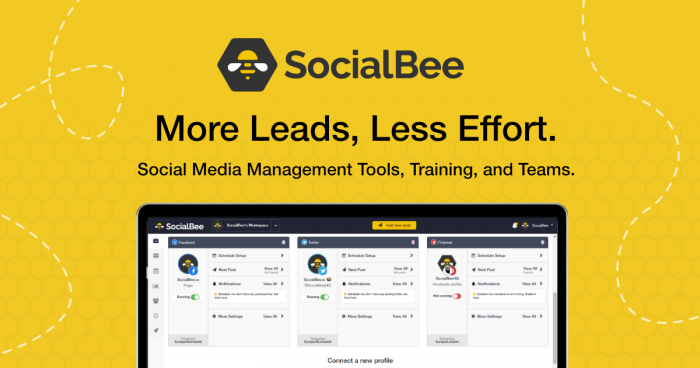
SocialBee stands out because it treats scheduling as part of a broader content strategy. Instead of just dropping posts into a calendar, you organize updates by category educational, promotional, curated or evergreen and let the system maintain a healthier content mix over time. Its AI tools support this by helping generate copy for those categories and repurpose blog content into social posts that fit each bucket.
This helps scheduling because you stop making decisions post by post. Once the categories are set, the calendar has a logic behind it, and AI helps keep each stream full without making your feed feel repetitive or overly promotional. For smaller brands that need structure more than raw complexity, that’s a powerful advantage.
Best for: Small businesses, consultants and creators who want strategy and scheduling to work together.
| SocialBee overview | Details |
| Core strength | Category‑based scheduling with AI content support. |
| How it helps with scheduling | Keeps a balanced posting mix, repurposes content and supports evergreen automation. |
| Starting pricing | Starts around $29/month. |
6. Sintra AI: planning before posting
Sintra AI represents a more AI‑native approach to social scheduling. Rather than simply helping you schedule finished posts, it helps build the content plan itself suggesting what to post, how often to post and what kind of structure your content calendar should follow. That makes it useful for people who are not just behind on scheduling, but also stuck at the ideation stage.
In practical use, Sintra AI can reduce the mental friction of building a posting rhythm from scratch. Instead of beginning with an empty calendar, you start with AI‑generated ideas and then refine them into a schedule that matches your goals. That makes it less of a scheduler with AI attached and more of an AI planning assistant that feeds your scheduler.
Best for: Founders, solo operators and lean teams that need help with both content planning and social scheduling.
| Sintra AI overview | Details |
| Core strength | AI‑first planning and social calendar generation. |
| How it helps with scheduling | Suggests what to post, how often to post and helps shape a repeatable schedule. |
| Starting pricing | Pricing varies by product bundle; check current vendor pricing directly. |
7. Technylo: promising for AI‑assisted workflow building
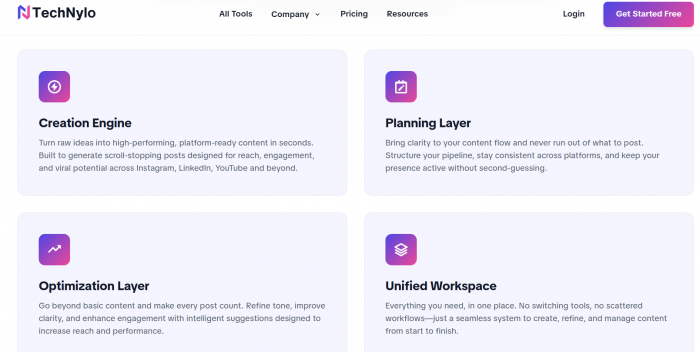
Technylo can be positioned in this list as an AI‑driven marketing or productivity tool that supports social media workflows, especially if your angle is broader workflow efficiency rather than pure social scheduling. However, because detailed public pricing and deeply verified scheduling documentation were not clearly surfaced in the available sources, it is safest to present it carefully unless you have first‑hand access to the platform or its official pricing page.
If Technylo includes AI writing, content workflow support or campaign assistance, you can frame it as useful for organizing ideas, generating drafts and supporting scheduling preparation rather than claiming it outperforms established schedulers on publishing infrastructure. That keeps the article credible while still including the brand in a meaningful way.
Best for: Users looking for an AI‑assisted content workflow layer around social publishing, especially if they want idea generation and drafting alongside scheduling support.
| Technylo overview | Details |
| Core strength | AI‑assisted content workflow and marketing support; verify exact scheduler features from the vendor. |
| How it helps with scheduling | Likely useful for draft creation, planning support and workflow preparation around posting. |
| Starting pricing | Custom / contact sales recommended unless official pricing is available from the vendor. |
8. Later: where visual planning meets AI assistance
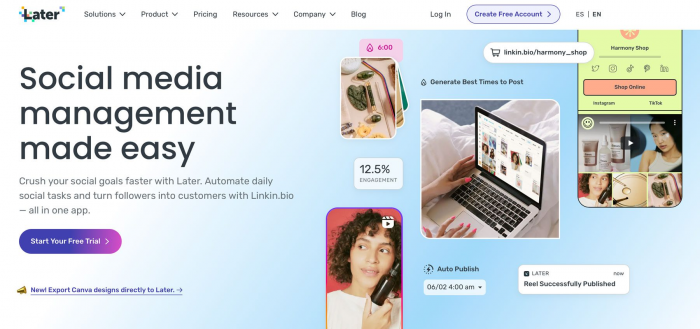
Later remains one of the strongest options for brands that live on Instagram, TikTok and Pinterest. Its visual planner makes scheduling easier because you can see how your feed will look before posts go live, while AI helps with caption writing, hashtag support and timing recommendations. That combination works especially well when your workflow starts with images or short videos, not text.
The real benefit for scheduling is that Later reduces the gap between creative assets and publishing. You upload the media, review the grid, use AI to polish the copy and then let the platform place those assets into a more intentional publishing rhythm. For ecommerce and creator brands, that can make the calendar feel more visual and less mechanical.
Best for: Visual creators, ecommerce brands and teams focused heavily on Instagram, TikTok and Pinterest.
| Later overview | Details |
| Core strength | Visual scheduling with AI content tools. |
| How it helps with scheduling | Helps plan visually, adds caption support and suggests timing for visual networks. |
| Starting pricing | Starts at about $18.75/month when billed yearly. |
Choosing the right fit
The best AI tool for social media scheduling depends less on feature volume and more on where your workflow breaks down. If the real problem is writing captions consistently, Buffer or Publer are often easier wins. If approvals, reporting and timing intelligence are the bigger issues, Hootsuite or Sprout Social will make more sense. And if you need help building the actual system behind your posting rhythm, tools like SocialBee, Sintra AI and even Technylo can add value by shaping the plan before the publishing starts.