Managing multiple social media accounts is not just about posting more content. It is about keeping publishing consistent, tracking what works, coordinating approvals, replying to audiences, and proving performance across different platforms.
When a brand is active on Instagram, TikTok, LinkedIn, Facebook, YouTube, Pinterest, X, and Google Business Profile, manual management quickly becomes messy. Posts get missed, reports take longer to prepare, and teams lose visibility into what is scheduled, approved, or already live.
The right social media management tool brings scheduling, analytics, collaboration, inbox management, and reporting into one workflow. This guide breaks down eight of the best tools for managing multiple social media accounts, with clear pricing details, best-fit users, strengths, and limitations.
Quick Comparison Table
| Tool | Best For | Free Plan | Starting Price | Strongest Area |
| Buffer | Simple scheduling | Yes | From $5/month per channel yearly | Clean publishing workflow |
| Hootsuite | Larger teams | Free trial | From $99/user/month | Multi-network dashboard |
| Sprout Social | Reporting and inbox | Free trial | From $199/seat/month yearly | Analytics and engagement |
| Later | Visual content planning | Free trial/free access may vary | From around $25/month | Instagram and TikTok planning |
| SocialPilot | Agencies on a budget | Free trial | From $30/month | Bulk scheduling |
| Zoho Social | Small businesses | Yes | From $10/month yearly | Affordable social management |
| Sendible | Agencies and client work | Free trial | From $29/month | Client reporting |
| Metricool | Analytics and scheduling | Yes | From $20/month | Cross-channel performance tracking |
1. Buffer: Best for Simple Social Media Scheduling
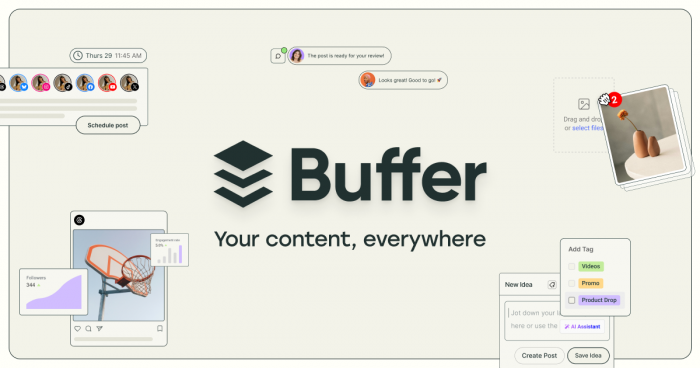
Buffer is one of the easiest tools for creators, small businesses, freelancers, and lean marketing teams that need a clean way to schedule posts across multiple social media accounts. It works best when the main need is publishing consistency rather than complex enterprise reporting or advanced customer service workflows.
The platform gives users a simple content queue, calendar view, post scheduling, basic analytics, and collaboration features on paid plans. Its biggest advantage is clarity. Teams can plan posts, review upcoming content, and keep multiple channels active without dealing with a heavy dashboard.
| Area | What Buffer Offers |
| Scheduling | Queue-based publishing, calendar planning, and channel-specific posts |
| Analytics | Post performance, engagement insights, and basic reporting |
| Collaboration | Drafting, approvals, and team access on paid plans |
| Inbox | Community inbox features for managing social engagement |
| Best Fit | Creators, startups, freelancers, solo marketers, and small teams |
Buffer Pricing
Buffer has a free plan, making it useful for creators and small teams starting with basic scheduling. Paid plans start at $5 per month per channel when billed yearly, or around $6 per month per channel on monthly billing. The per-channel pricing is flexible, but costs can rise as you add more social accounts.
Buffer is best for users who want a lightweight social media command center. It is not the strongest choice for agencies that need advanced client reporting, deep social listening, or a full unified inbox across many brands, but it is one of the cleanest options for simple scheduling and steady publishing.
2. Hootsuite: Best for Larger Teams and Multi-Network Control
Hootsuite is built for teams that need more than a basic post scheduler. It helps businesses manage publishing, monitoring, analytics, social media engagement, and team workflows from one dashboard. This makes it useful for companies that work across several departments, regions, brands, or campaign calendars.
The platform is especially strong for teams that want visibility across many social networks. Hootsuite can support content planning, streams for monitoring social activity, campaign reporting, and team collaboration. It is more complex than beginner-friendly tools, but that complexity can be useful for larger operations.
| Area | What Hootsuite Offers |
| Scheduling | Multi-platform scheduling, content calendar, and campaign planning |
| Monitoring | Streams for mentions, keywords, social activity, and brand conversations |
| Analytics | Social performance reports, campaign insights, and team-level reporting |
| Collaboration | Team roles, approvals, and shared workflows on higher plans |
| Best Fit | Mid-size companies, enterprise teams, and larger marketing departments |
Hootsuite Pricing
Hootsuite does not offer a permanent free plan for most users, but it usually provides a free trial. Paid plans start at around $99 per user per month, making it more expensive than simpler scheduling tools. It is best suited for larger teams that need publishing, monitoring, analytics, and collaboration in one dashboard.
Hootsuite is best for organizations that need a serious dashboard for multi-network management. It is not the cheapest option, and smaller teams may find it more than they need. But for businesses that require monitoring, reporting, publishing, and collaboration in one platform, it remains one of the most complete tools.
3. Sprout Social: Best for Analytics, Reporting, and Social Inbox
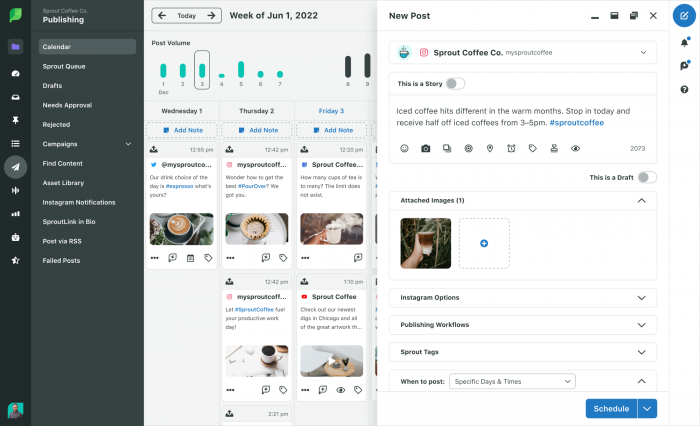
Sprout Social is designed for teams that treat social media as a business channel, not just a posting calendar. It combines publishing, analytics, engagement, social inbox management, listening, and reporting in a polished platform built for brands, agencies, and customer-facing teams.
Its strongest area is insight. Sprout Social helps teams understand which posts work, how audiences respond, how profiles are growing, and where engagement needs attention. The social inbox is also valuable for teams that manage comments, DMs, mentions, and customer questions across multiple platforms.
| Area | What Sprout Social Offers |
| Scheduling | Calendar planning, drafts, queues, campaigns, and approvals |
| Analytics | Profile reporting, post performance, competitor insights, and campaign metrics |
| Inbox | Centralized comments, DMs, mentions, review management, and task assignment |
| Collaboration | Team workflows, approval features, and customer-care coordination |
| Best Fit | Agencies, established brands, social teams, and customer support-linked teams |
Sprout Social Pricing
Sprout Social does not have a permanent free plan, but it offers a free trial. Paid plans start at $199 per seat per month when billed annually. The pricing is best suited for agencies, established brands, and teams that need advanced reporting, inbox management, and analytics.
Sprout Social is best for companies that need to prove the business value of social media. It is not ideal for casual creators or small teams that only need basic scheduling because the pricing is premium. But for agencies, brand teams, and organizations with reporting pressure, it offers more depth than most entry-level tools.
4. Later: Best for Visual Content Planning
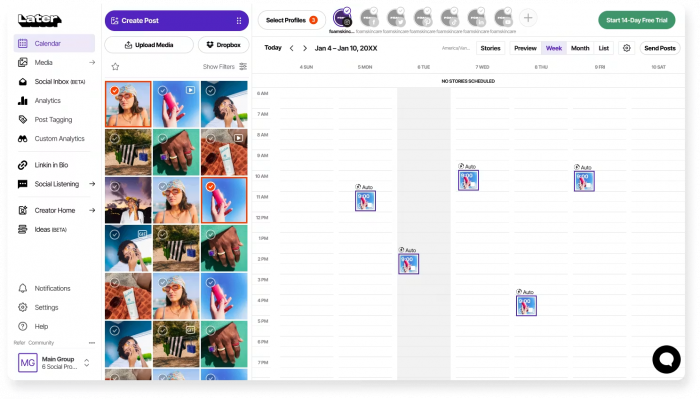
Later is a strong option for creators, ecommerce brands, lifestyle businesses, and social media managers who plan content visually. It is especially useful for Instagram, TikTok, Pinterest, and short-form video workflows where visual layout, timing, and campaign planning matter.
The platform gives users a visual calendar, media library, scheduling tools, link-in-bio features, and performance insights. Its workflow feels natural for brands that work with product photos, reels, influencer content, creator campaigns, and visual feeds.
| Area | What Later Offers |
| Scheduling | Visual calendar, drag-and-drop planning, and post scheduling |
| Visual Planning | Strong layout-first workflow for Instagram, TikTok, Pinterest, and visual campaigns |
| Analytics | Post performance, best-time insights, and profile reporting |
| Link-in-Bio | Tools for directing social traffic to products, blogs, and landing pages |
| Best Fit | Creators, ecommerce brands, lifestyle businesses, and visual-first teams |
Later Pricing
Later usually offers a free trial, while free access may depend on its current plan structure. Paid plans start at around $25 per month. It is a good value for creators, ecommerce brands, and visual-first teams focused on Instagram, TikTok, Pinterest, and link-in-bio workflows.
Later is best for teams that need visual planning more than heavy enterprise reporting. It is not the strongest choice for advanced agency reporting, social listening, or customer service inbox management, but it works well for brands that care about how content looks before it goes live.
5. SocialPilot: Best for Agencies on a Budget

SocialPilot is a practical social media management tool for agencies, consultants, freelancers, and small teams that manage several accounts without wanting enterprise-level pricing. It covers scheduling, bulk publishing, analytics, approvals, collaboration, content libraries, and client-friendly workflows.
Its biggest advantage is value. SocialPilot gives agencies the ability to manage many profiles and clients at a lower starting cost than premium tools like Sprout Social. Features such as bulk scheduling, team roles, content approvals, and reporting make it useful for repeatable agency work.
| Area | What SocialPilot Offers |
| Scheduling | Bulk scheduling, calendar planning, queue management, and multi-account publishing |
| Collaboration | User roles, approval workflows, and client review options |
| Analytics | Profile reports, post performance, and engagement tracking |
| Agency Features | Client management, content approvals, and scalable profile support |
| Best Fit | Agencies, freelancers, consultants, and small marketing teams |
SocialPilot Pricing
SocialPilot does not offer a permanent free plan, but it provides a 14-day free trial. Paid plans start at $30 per month, or around $25.50 per month when billed yearly. It is a strong value option for agencies and freelancers that need bulk scheduling, approvals, and multi-account management.
SocialPilot is best for teams that need agency-style scheduling and approvals without paying premium enterprise prices. It is not as advanced as Sprout Social for analytics or brand intelligence, but it gives strong everyday functionality for client work, bulk publishing, and team coordination.
6. Zoho Social: Best for Small Businesses
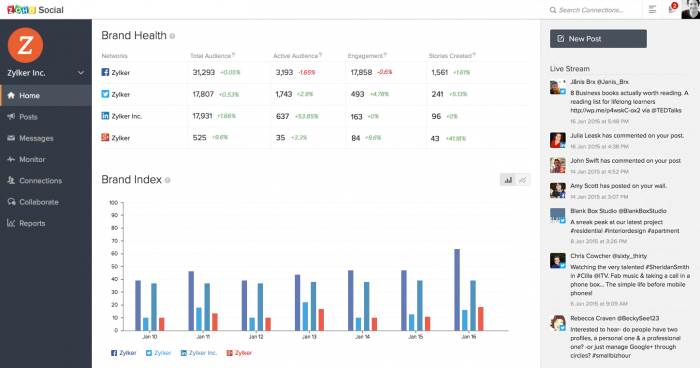
Zoho Social is a good fit for small businesses, local brands, startups, and teams already using Zoho products. It combines social scheduling, monitoring, reporting, team collaboration, and CRM-connected workflows in a relatively affordable package.
The platform is especially useful for businesses that want social media management to connect with customer activity. If a company already uses Zoho CRM, Zoho Desk, or other Zoho tools, Zoho Social can fit naturally into the broader business workflow.
| Area | What Zoho Social Offers |
| Scheduling | Publishing calendar, queues, repeat posting, and bulk scheduling on higher plans |
| Monitoring | Brand activity, social engagement, and message tracking |
| Analytics | Reports for post performance, audience growth, and channel activity |
| Integrations | Zoho CRM, Zoho Desk, and the wider Zoho ecosystem |
| Best Fit | Small businesses, local companies, startups, and Zoho users |
Zoho Social Pricing
Zoho Social offers a free plan, which makes it accessible for small businesses and beginners. Paid plans start at $10 per month when billed yearly, or around $15 per month on monthly billing. It is a practical low-cost option for teams that need scheduling, monitoring, reporting, and Zoho ecosystem integration.
Zoho Social is best for businesses that want useful social media features without premium pricing. It is not as advanced as Hootsuite or Sprout Social for large-team reporting and enterprise controls, but it is a strong choice for small businesses that need scheduling, monitoring, and reporting at a lower cost.
7. Sendible: Best for Agencies and Client Reporting
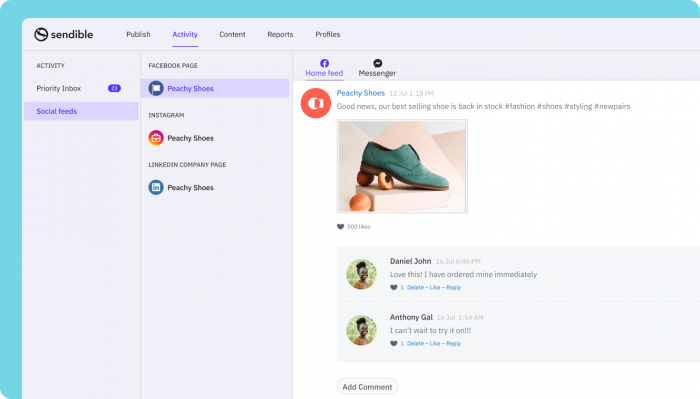
Sendible is built with agencies, consultants, and service providers in mind. It combines publishing, analytics, monitoring, reporting, approvals, collaboration, and client management features in one platform.
Its main advantage is that it understands agency workflows. Teams can manage multiple clients, prepare reports, organize content calendars, and keep approval processes structured. It is more client-focused than a basic scheduler and more affordable than some enterprise platforms.
| Area | What Sendible Offers |
| Scheduling | Multi-platform publishing, calendar planning, and content queues |
| Reporting | Client-ready reports, analytics, and performance summaries |
| Collaboration | Team workflows, approval processes, and client review options |
| Agency Features | Scalable plans, client management, and white-label options on higher plans |
| Best Fit | Agencies, consultants, freelancers, and growing service businesses |
Sendible Pricing
Sendible does not offer a permanent free plan, but it provides a free trial. Paid plans start at $29 per month. It is a good fit for agencies, consultants, and service providers that need client reporting, approvals, and social scheduling.
Sendible is best for teams that manage social media on behalf of other businesses. It is not the simplest tool for casual users, and some advanced reporting or white-label features sit on higher plans. But for agencies that need publishing, approvals, reporting, and client workflows, it offers a strong balance of structure and cost.
8. Metricool: Best for Analytics and Performance Tracking
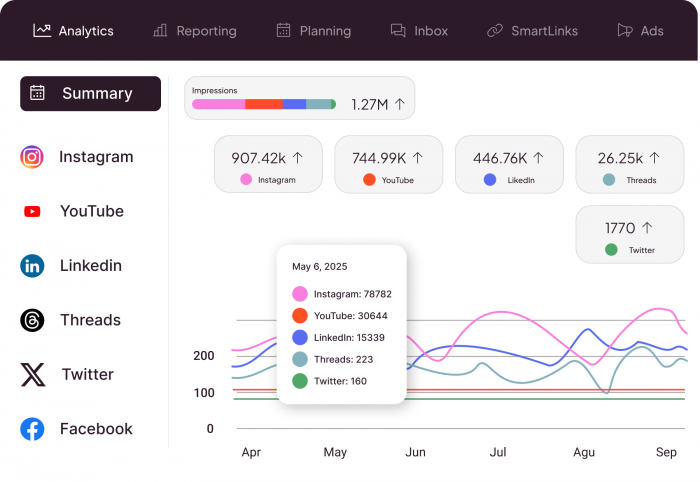
Metricool is a strong choice for creators, agencies, and businesses that want scheduling and analytics in the same place. It is especially useful for users who care about what happens after publishing, not just getting posts onto the calendar.
The platform brings together content planning, post scheduling, analytics, competitor tracking, reporting, ad insights, and link-in-bio tools. Its free plan makes it accessible for beginners, while paid plans support more brands, deeper reporting, and agency-style tracking.
| Area | What Metricool Offers |
| Scheduling | Calendar planning, content scheduling, and multi-platform publishing |
| Analytics | Social media performance, competitor analysis, and historical data on paid plans |
| Reporting | PDF and PPT reports, brand reports, and cross-channel tracking |
| Campaign Tracking | Organic, paid, and competitor performance insights |
| Best Fit | Data-focused creators, agencies, small teams, and performance-driven brands |
Metricool Pricing
Metricool offers a free plan for users who want basic scheduling and analytics. Paid plans start at around $20 per month when billed yearly, or around $25 per month on monthly billing. It is a strong affordable choice for users who need social scheduling, analytics, competitor tracking, and reporting.
Metricool is best for users who want to understand performance across different social channels without paying for a heavy enterprise platform. It is not always the strongest tool for approval-heavy agency workflows or advanced inbox management, but it is excellent for analytics, reporting, and multi-channel visibility.
Best Tool by Use Case
| Use Case | Best Tool |
| Simple scheduling | Buffer |
| Visual Instagram and TikTok planning | Later |
| Large team dashboard | Hootsuite |
| Advanced inbox and analytics | Sprout Social |
| Budget-friendly agency work | SocialPilot |
| Small business social management | Zoho Social |
| Client reporting and approvals | Sendible |
| Analytics and performance tracking | Metricool |
Final Verdict
The best tool for managing multiple social media accounts depends on how complex your workflow is.
Buffer is the best starting point for simple scheduling because it is clean, affordable, and easy to use. Later is better for visual-first brands that rely heavily on Instagram, TikTok, Pinterest, and creator-style campaigns. Zoho Social is a practical choice for small businesses that want affordable scheduling, monitoring, and reporting, especially if they already use Zoho tools.
SocialPilot and Sendible are stronger options for agencies because they handle client workflows, approvals, reporting, and multiple profiles at a more manageable price than premium enterprise tools. Metricool is the best fit for users who care most about analytics, cross-channel performance, and reporting.
Hootsuite and Sprout Social are better suited for larger teams. Hootsuite works well when a company needs broad social control across several networks and users. Sprout Social is the stronger pick when analytics, inbox management, and business-level reporting are the main priorities.
The best social media management tool is not the one with the longest feature list. It is the one that removes friction from planning, publishing, approvals, engagement, and reporting without forcing your team to pay for features it will not use.