Social media in 2026 demands consistent, high‑quality content across multiple formats and platforms. AI tools now sit at the core of modern workflows, helping creators and brands plan, write, design, edit, and schedule posts with far less manual effort.
This article covers eight of the best AI tools for social media content creation in 2026, with brief pricing details and a comparison table to help you choose the right stack.
Why AI Matters for Social Media in 2026
Most social media tasks repeat every week: finding ideas, drafting captions, creating visuals and videos, and loading everything into schedulers. AI tools reduce the time spent on these repetitive steps, so you can focus more on strategy, positioning, and creative direction.
A practical approach is to use a small set of tools where each one has a clear role: planning and writing, visual design, video production, and scheduling. The tools below are selected with that structure in mind.
1. Technylo : Social Media Content Creation Hub
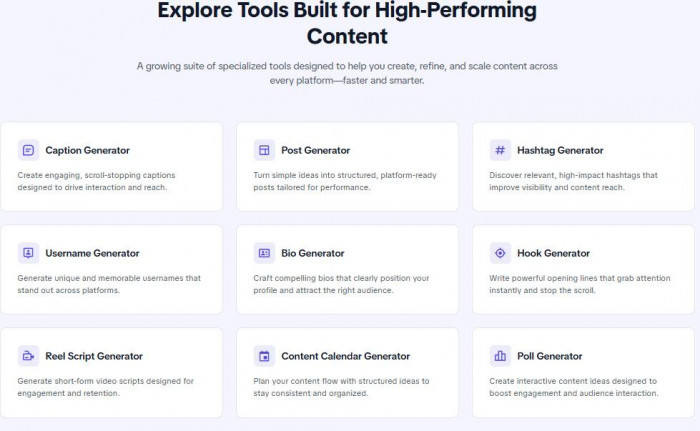
Technylo is designed to help users generate social media content quickly in one place. Instead of managing posts or analytics, it focuses on creating the core pieces of content such as captions, posts, hashtags, bios, hooks, and reel scripts.
You start with a simple idea or topic, and Technylo generates structured, platform-ready content that can be adapted for Instagram, LinkedIn, Facebook, or X. It also includes tools like a content calendar generator to help organize ideas.
Technylo works best for speeding up content creation and brainstorming, making it easier to maintain consistency without switching between multiple tools.
Technylo Pricing
| Plan | What it’s for | Typical price (monthly) |
| Starter | Basic usage for individuals or small teams | Free |
| Creator | For creators who generate content regularly | $10 / month |
| Professional | For high-volume users and serious workflows | $18 / month |
| Custom | For teams, agencies, and large-scale usage | Custom |
2. Jasper AI : Brand‑Ready Captions and Hooks
Jasper AI is focused on marketing‑oriented writing and is useful when you need a steady stream of social posts that stay within a defined brand voice. It is particularly helpful for businesses that already have a style and want AI support instead of starting from scratch each time.
You can set up brand voice profiles using your existing content, then use Jasper to generate captions, hooks, and post intros for launches, educational posts, and promotions. Templates for different formats make it easier to maintain content series and campaigns.
For managers handling multiple brands, Jasper keeps separate voice profiles and workspaces. This makes it a strong base for generating social copy that later moves into design tools, video editors, and schedulers.
Jasper AI Pricing (approximate)
| Plan | What it includes | Estimated price (monthly) |
| Creator | Single user, core AI writing tools | Around 39 USD |
| Teams | Multiple users and brand voices | Around 59–99 USD |
| Business | Custom usage and enterprise features | Custom |
3. Canva Magic Studio : AI‑Assisted Social Visuals

Canva Magic Studio combines familiar design tools with AI features. It helps you move quickly from an idea to usable carousels, posts, thumbnails, and basic video assets.
You can start with a short brief such as a three‑slide Instagram carousel explaining a new feature and generate an initial design with text and images. Magic Write supports short copy for slides and captions, while AI image tools help create visuals without relying heavily on stock libraries.
Canva integrates with major social platforms, so you can design, adjust formats (square, vertical, landscape), and publish from one interface. It is a strong choice when you want consistent visuals without a dedicated design team.
Canva / Magic Studio Pricing (approximate)
| Plan | What it includes | Estimated price (monthly) |
| Free | Basic templates and limited assets | 0 USD |
| Pro | Full Magic Studio, brand kit, more assets | About 12–15 USD per user |
| Teams | Collaboration and advanced controls | About 15–30 USD per user |
4. Notion AI : Structured Planning and Drafting
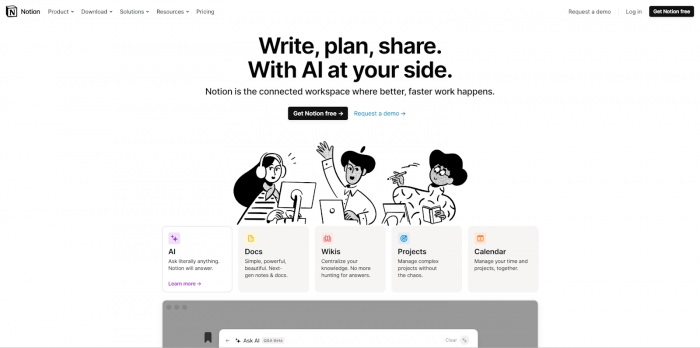
Notion AI works inside the Notion workspace, which many teams already use for content planning and documentation. It is useful when you prefer to keep ideas, briefs, and drafts in a structured system.
You can store content pillars, research notes, and post ideas in databases, then use AI to expand bullet points into full captions, summarize longer material into social‑ready snippets, or outline multi‑post series. Status fields help you track whether a piece is in ideation, drafting, review, or scheduled.
Notion AI is a good fit if you like building customized content workflows and want planning and drafting to live in the same place.
Notion AI Pricing (approximate)
| Component | What it includes | Estimated price (monthly) |
| Notion core plans | Workspace features | 0–8 USD per user |
| AI add‑on | AI writing and assistance | About 8–10 USD per user |
| Business tiers | Advanced controls and security | Higher / custom |
5. PostEverywhere : AI Content and Scheduling in One Place

PostEverywhere brings AI‑assisted content creation and cross‑platform scheduling together. This allows you to write and plan posts in the same environment where you schedule them.
You can create captions and simple visuals, select platforms such as Instagram, TikTok, YouTube, LinkedIn, X, Facebook, and Threads, and adjust variations for each channel. AI can suggest posting times and small content tweaks based on general best practices and your historical performance.
It is especially useful for agencies and managers who oversee multiple accounts and want a single dashboard for planning, publishing, and basic coordination.
PostEverywhere Pricing (approximate)
| Plan | What it includes | Estimated price (monthly) |
| Starter | Limited profiles and posts | Around 0–15 USD |
| Growth | More profiles and higher limits | Around 19–29 USD |
| Agency | Larger teams and advanced reporting | Around 49–99 USD |
6. Buffer : Simple Scheduling with AI Support

Buffer is a long‑standing scheduling tool with an emphasis on clarity and ease of use. Recent updates add AI assistance for drafting and refining posts.
You connect your social accounts, write posts in one place, and schedule them on a calendar across channels. The AI assistant can adjust tone, length, and structure to match each platform, which helps when you want to reuse a core message across multiple networks without copying it verbatim.
Buffer suits solo creators and small teams looking for a reliable scheduler with a straightforward interface and light AI support.
Buffer Pricing (approximate)
| Plan | What it includes | Estimated price (monthly) |
| Free | Limited channels and basic scheduling | 0 USD |
| Essentials | More channels, analytics, AI assistant | Around 6–12 USD per channel |
| Team | Collaboration features and more reporting | Higher, often 12–20+ USD per channel |
7. Opus Clip : Turning Long Videos into Short Clips
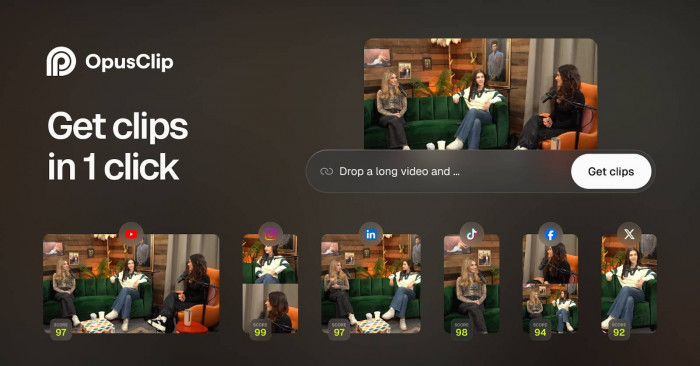
Opus Clip focuses on repurposing long‑form video into short‑form social content. This is valuable if you regularly produce podcasts, webinars, interviews, or long YouTube videos.
You upload a full video, and the tool identifies segments that can stand alone as short clips with clear hooks and self‑contained ideas. It then creates vertical videos with subtitles that are ready for TikTok, Reels, and YouTube Shorts. Some plans also include scoring or ranking to help you choose which clips to post first.
Using a tool like this allows you to get more value from each recording session and build a library of short content without manual editing.
Opus Clip Pricing (approximate)
| Plan | What it includes | Estimated price (monthly) |
| Free | Limited upload time and exports | 0 USD |
| Starter | More minutes and core AI clipping | Around 19 USD |
| Pro | Higher limits, branding, team options | Around 29–49 USD |
8. Descript : Editing, Captions, and Multi‑Format Video
Descript is a video and audio editor that lets you edit content by editing text. You work with a transcript, and the video timeline updates automatically when you make changes.
For social media, Descript can clean audio, remove filler words, generate captions, and export multiple aspect ratios from the same recording. You can cut a longer video into shorter segments and output vertical, square, and horizontal versions from a single project.
Descript’s AI voice and overdub features also help fix small mistakes or add short lines without re‑recording. It fits well into a workflow where you want more control over video polish without learning complex editing software.
Descript Pricing (approximate)
| Plan | What it includes | Estimated price (monthly) |
| Free | Limited recording and editing hours | 0 USD |
| Creator | More hours and core editing features | Around 15 USD |
| Pro | Higher limits and advanced AI features | Around 24–30 USD |
| Enterprise | Custom usage and collaboration options | Custom |
Tool Comparison at a Glance
| Tool | Main role | Best for | Typical starting price* |
| Technylo | Content hub and post creation | Structured planning and post creation | $10 / month |
| Jasper AI | AI copywriting | Brand‑consistent captions and hooks | ~39 USD |
| Canva | Design and basic video | Carousels, posts, thumbnails | 0 USD (paid from ~12 USD) |
| Notion AI | Planning and drafting | Content systems and internal workflows | ~8–10 USD add‑on |
| PostEverywhere | Content + scheduling | Multi‑platform planning and publishing | ~19–29 USD |
| Buffer | Scheduling with AI support | Simple, reliable multi‑channel posting | 0 USD (paid from ~6 USD) |
| Opus Clip | Video repurposing | Short‑form clips from long‑form video | ~19 USD |
| Descript | Editing and captioning | Multi‑format video for social platforms | ~15 USD |
Final Verdict
AI has moved from being a bonus to becoming a core part of serious social media workflows in 2026. The right tools reduce the time you spend on repetitive tasks like drafting, designing, editing, and scheduling, and give you more space to think about strategy, positioning, and storytelling.
A practical stack built around Technylo, Jasper, Canva, Notion AI, PostEverywhere, Buffer, Opus Clip, and Descript covers the key stages of content creation from ideas and copy to visuals, video, and publishing without overwhelming you with complexity. If you are setting up or refining your system, start with one tool in each category and expand only when you clearly feel the need. Over time, this focused, data‑driven approach will help you publish more consistent, better‑structured content that matches both your brand and your audience.