AI avatar tools have moved far beyond novelty filters and cartoon profile pictures. Today, the best platforms can help you create a polished digital presenter for product demos, a realistic talking avatar for training videos, a stylized profile image for social media, or even a cross-platform 3D identity for games and virtual spaces.
That is why there is no single “best” AI avatar creator for everyone. Some tools are built for business videos, some are better for animated photo avatars, and others focus on artistic portrait generation or 3D characters. The smartest way to choose is not by hype, but by the kind of avatar you actually need to create.
1. HeyGen: Script-to-Avatar Video in Minutes
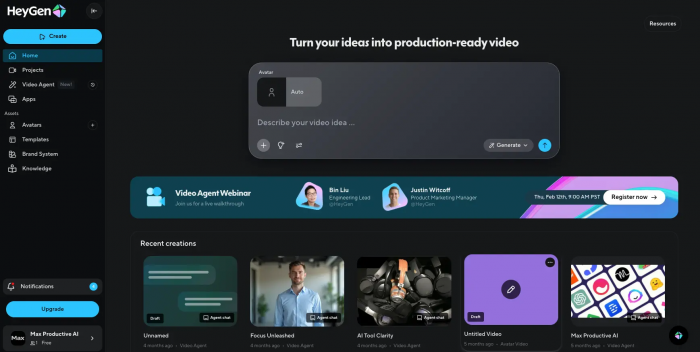
HeyGen is one of the most polished AI avatar platforms for turning written scripts into talking-head videos. You type your script, choose a stock avatar or create a custom one, add a voice, and generate a presenter-style video that looks far more production-ready than the average AI demo tool.
Its biggest advantage is repeatability. If you need regular marketing videos, product updates, onboarding clips, or multilingual explainers, HeyGen gives you a consistent on-screen avatar that can be reused across projects without cameras, studio setups, or re-shoots.
HeyGen at a glance
| Aspect | Details |
| Best for | Marketing teams, trainers, SaaS founders, and creators producing talking-head videos at scale. |
| Core idea | Turn scripts into realistic avatar videos with stock or custom presenters. |
| Typical use cases | Product explainers, onboarding videos, training content, sales videos, multilingual marketing assets. |
| Starting price | Free tier with 1 credit; paid plans from $29/month. |
| Main strengths | High-quality talking avatars, voice cloning, reusable presenter workflows. |
| Limitations to know | Better for presenter-style videos than stylized or character-driven avatars. |
2. Synthesia: Corporate Avatar Videos Without the Studio
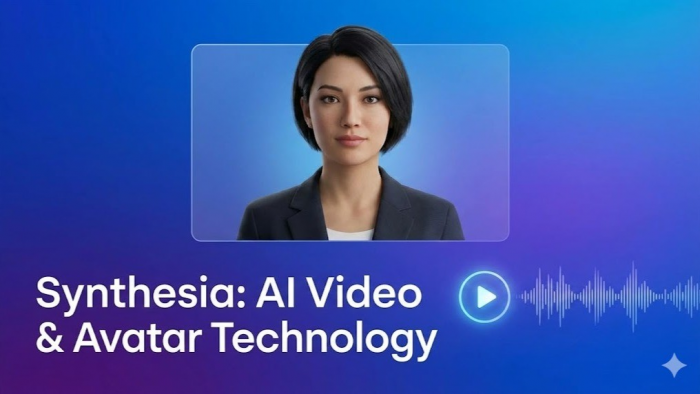
Synthesia is one of the most enterprise-ready tools in this category, and it shows in the way the platform is built. Rather than chasing novelty, it is designed for training, onboarding, internal communications, and multilingual business video production where consistency matters more than creative experimentation.
That focus makes it especially appealing to companies creating structured content at scale. If HeyGen feels like a strong all-rounder, Synthesia feels like the avatar tool you choose when video is part of a larger corporate content system.
Synthesia overview
| Aspect | Details |
| Best for | Corporate training teams, HR, internal communications, and multilingual business content. |
| Core idea | Create professional presenter-style videos using stock or custom avatars in many languages. |
| Typical use cases | Employee onboarding, internal updates, compliance training, educational content, multilingual tutorials. |
| Starting price | Free demo video; paid plans from $29/month. |
| Main strengths | 230+ avatars, 140+ languages, strong business workflow alignment. |
| Limitations to know | More business-focused than creator-friendly, and not ideal for stylized avatar art. |
3. D-ID: Turn a Still Photo into a Talking Avatar
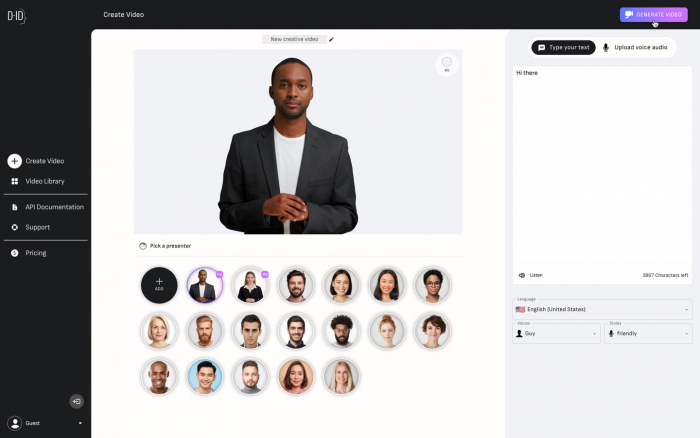
D-ID is one of the easiest ways to turn a still image into a talking avatar. Instead of starting with a prebuilt presenter library, the platform is known for animating portrait photos so they appear to speak, which makes it immediately useful for quick content, prototypes, or lightweight branded clips.
Its appeal is speed and simplicity. If your workflow starts with an image rather than a full video production plan, D-ID can feel more direct than HeyGen or Synthesia, even if the end result is less polished for large-scale business use.
D-ID quick overview
| Aspect | Details |
| Best for | Users who want to animate photos into talking avatars quickly. |
| Core idea | Upload a portrait, add a script, and generate a talking-head video from the image. |
| Typical use cases | Short social clips, quick avatar demos, prototype videos, image-based storytelling. |
| Starting price | Free tier with about 5 minutes of video on signup; paid plans from $16/month. |
| Main strengths | Fast photo-to-video workflow, simple interface, good for lightweight projects. |
| Limitations to know | Free credits run out quickly, and quality is less robust than top-tier business avatar tools. |
4. Ready Player Me: 3D Avatars for Games and Virtual Worlds
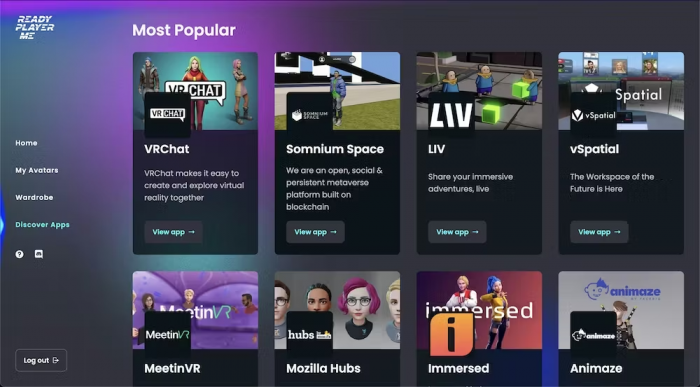
Ready Player Me belongs in this list because not every avatar needs to be a talking presenter. This tool focuses on creating 3D avatars from selfies for gaming, VR, virtual worlds, and app integrations, which puts it in a different lane from most business-video avatar generators.
That different angle is exactly what makes it valuable. If your readers want an avatar that can travel across apps, games, and metaverse-style environments, Ready Player Me solves a problem that HeyGen and Synthesia are not trying to solve at all.
Ready Player Me overview
| Aspect | Details |
| Best for | Gamers, developers, VR users, and creators who need 3D avatars. |
| Core idea | Create a selfie-based 3D avatar that works across many apps and virtual platforms. |
| Typical use cases | Gaming profiles, VR identities, metaverse apps, developer integrations. |
| Starting price | Free for individual use; enterprise plans for developers. |
| Main strengths | 3D avatar creation, broad app compatibility, strong cross-platform identity use case. |
| Limitations to know | No talking-head video creation and no presenter-style marketing workflow. |
5. Canva AI Avatars: Simple Avatar Videos Inside Canva
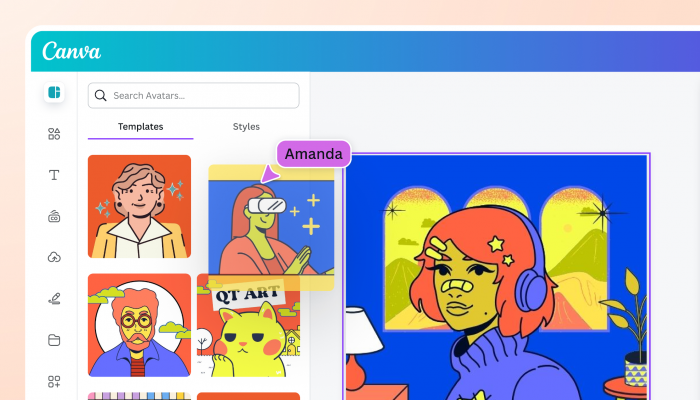
Canva AI Avatars is not the most advanced tool in the category, but it earns a place here because of convenience. For people already working inside Canva, the avatar workflow is built directly into presentations and videos, which removes friction and makes avatar creation feel like just another step in the design process.
That ease matters more than raw realism for many users. If the goal is to add a simple presenter layer to a Canva deck, internal explainer, or social graphic, Canva’s avatar functionality can be far more practical than switching to a specialized avatar platform.
Canva AI Avatars at a glance
| Aspect | Details |
| Best for | Canva users who want simple avatar presenters inside an existing design workflow. |
| Core idea | Add talking-head style avatar elements directly into Canva videos and presentations. |
| Typical use cases | Presentation overlays, internal explainers, simple branded videos, lightweight social content. |
| Starting price | Limited access in Canva’s free plan; Canva Pro from $13/month. |
| Main strengths | Seamless Canva integration, no learning curve for existing users, fast workflow. |
| Limitations to know | Avatar quality and selection are more basic than specialized platforms like HeyGen or Synthesia. |
6. Lensa AI: Stylized Selfie Avatars for Social Profiles
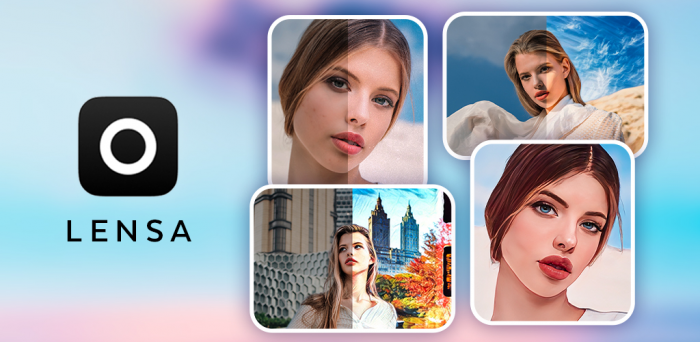
Lensa AI is one of the best-known tools for stylized selfie-based avatar generation. It is not trying to turn your image into a talking presenter or business spokesperson; instead, it focuses on creating artistic, social-friendly portraits in styles like fantasy, anime, cinematic, or painterly.
That narrower focus is actually its strength. If the user wants a better Instagram profile image, gaming-style portrait, or a pack of creative self-portraits, Lensa is more relevant than the business-first video avatar tools on this list.
Lensa AI overview
| Aspect | Details |
| Best for | Users who want stylized avatar portraits from selfies. |
| Core idea | Generate artistic self-portraits and profile images in multiple visual styles. |
| Typical use cases | Social media profile pictures, personal branding, stylized self-portraits, creative identity images. |
| Starting price | Limited free editing features; avatar packs usually cost around $4–$8. |
| Main strengths | Fast stylized portrait generation, strong variety of visual looks, beginner-friendly workflow. |
| Limitations to know | No video avatars, and privacy sensitivity matters because photos must be uploaded. |
7. WaveSpeedAI: Multiple Avatar Models in One Place
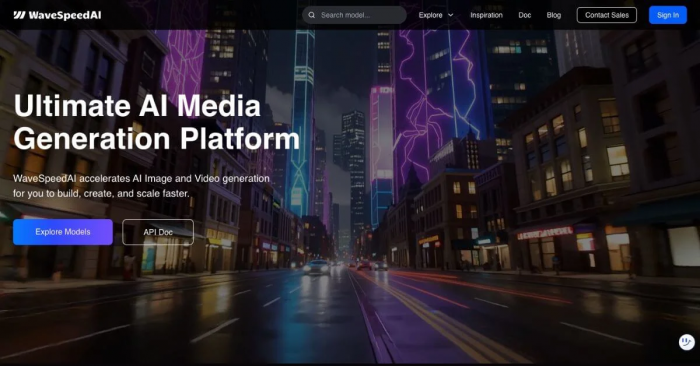
WaveSpeedAI is interesting because it does not lock you into one avatar format. According to its 2026 free-avatar roundup, the platform aggregates multiple avatar and portrait generation models in one interface, including lip-sync talking heads, animated portraits, and style-transfer workflows.
That makes it more flexible than a single-purpose avatar tool. For users who are still experimenting and do not yet know whether they need video avatars, portrait avatars, or face animation, WaveSpeedAI can function like a testing ground rather than a one-track solution.
WaveSpeedAI overview
| Aspect | Details |
| Best for | Users who want to test multiple avatar styles and models from one account. |
| Core idea | Offer access to several avatar-generation approaches in one platform. |
| Typical use cases | Model testing, talking heads, animated portraits, style-transfer avatar workflows. |
| Starting price | Free credits on signup. |
| Main strengths | Multi-model flexibility, good for experimentation, supports different avatar formats. |
| Limitations to know | Less focused than specialist tools, so the experience can feel broader than deeper. |
8. Genies: Character-Driven Avatars with Personality
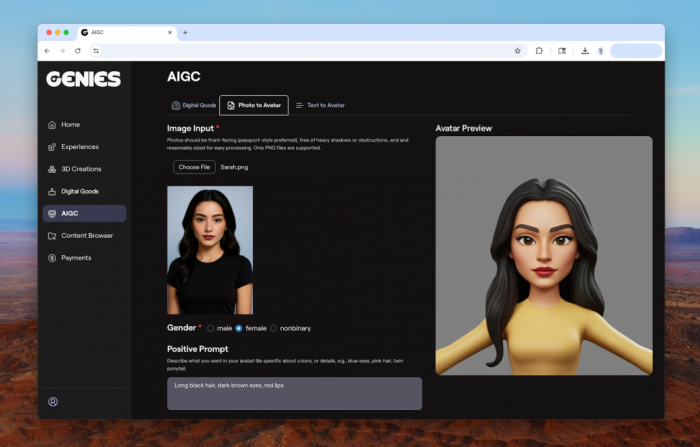
Genies is better understood as a digital identity platform than a standard avatar generator. It focuses on expressive, character-like avatars that can function as personal or brand personas, which gives it a very different feel from the realistic presenter tools dominating the business side of the category.
That makes Genies a smart pick when realism is not the goal. If your article wants to reflect the full avatar market rather than only business video presenters, Genies helps cover the growing demand for stylized, branded, and personality-driven avatars.
Genies overview
| Aspect | Details |
| Best for | Creators, brands, and users who want expressive character-based digital identities. |
| Core idea | Build stylized avatars that act more like digital personas than realistic presenters. |
| Typical use cases | Social identity, brand mascots, creator branding, stylized personal avatars. |
| Starting price | Pricing not clearly surfaced in the current source set; confirm on official site before publish. |
| Main strengths | Strong identity-driven avatar design, more personality than realism-focused tools. |
| Limitations to know | Not built for talking-head business videos or corporate training use cases. |
Which AI avatar tool should you choose?
If the goal is professional talking-head videos, HeyGen is the best all-round choice for most users, while Synthesia is the better fit for enterprise training and multilingual corporate content. D-ID works best when you want to animate a still image quickly, and Canva AI Avatars makes the most sense for people who already live inside Canva and want a lightweight avatar layer without adding another tool.
For non-video use cases, the best option depends on what “avatar” means to you. Lensa AI is stronger for stylized profile images, Ready Player Me is the clear pick for 3D gaming and virtual worlds, WaveSpeedAI is useful for testing multiple avatar styles in one place, and Genies stands out when you want a character-driven digital identity instead of a realistic presenter.
Verdict
The best AI avatar tools are no longer competing on one narrow definition of an avatar. Some help you replace the camera, some help you create a better version of your online identity, and some help you build a digital character that can travel across platforms and formats.
For most business and creator workflows, HeyGen and Synthesia are still the strongest picks because they solve the biggest real-world need: scalable video communication without constant filming. But if your use case is profile visuals, 3D identities, or stylized branding, tools like Lensa AI, Ready Player Me, and Genies can be far better fits than the usual talking-avatar platforms.