Creating Instagram Reels is no longer just an editing task. The real work happens across the full pipeline: finding an idea, turning it into a hook, clipping or creating footage, adding captions, tightening pacing, producing voiceovers, and publishing at the right time.
People are taking very seriously about instagram growth nowadays. The best AI tools for Instagram Reels are not always the flashiest video generators. The best ones remove friction from specific stages of the workflow. Some are made for turning podcasts into short clips. Some are better for captions and editing. Others help with avatar-led videos, AI voiceovers, visual generation, or scheduling.
This guide breaks the tools down by how creators actually make Reels, not by a random “top tools” list.
The Reel Creation Pipeline
| Stage | What Happens Here | Best Tools |
| Repurposing | Turning long videos into short Reels | OpusClip, quso.ai, Munch |
| Editing & Captions | Cutting, styling, resizing, subtitles | CapCut, VEED, Descript |
| AI Visual Creation | Generating b-roll, scenes, and effects | Runway, Pika |
| Avatar & Voice | Presenter videos and realistic voiceovers | HeyGen, ElevenLabs |
| Scheduling & Analytics | Planning, posting, and measuring performance | Later, Metricool |
Best AI Tools for Turning Long Videos Into Reels
1. OpusClip
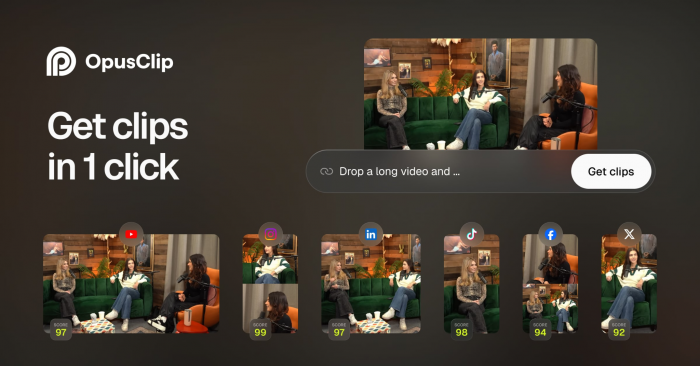
OpusClip is one of the strongest tools for creators who already have long-form content. If you publish podcasts, interviews, webinars, YouTube videos, coaching calls, or educational content, OpusClip can automatically detect short-form moments and turn them into vertical clips.
Its main value is speed. Instead of manually scrubbing through a 45-minute video, you can upload the file and let the platform identify moments with hook potential. It adds captions, reframes the video for vertical platforms, and gives creators multiple short clips from one source.
For Instagram Reels, OpusClip works best when your original content has clear spoken moments. It is less useful if your source video is visually dull or lacks strong standalone points.
| Aspect | Details |
| Best for | Podcasters, educators, coaches, YouTubers |
| Core use | Long-form video to short Reels |
| Key Reel features | AI clipping, auto captions, vertical reframing, highlight detection |
| Starting price | Free plan available with 60 credits per month; paid plans start from $9/month on some billing options |
| Main limitation | Clips still need human review before publishing |
OpusClip is not a complete Reels strategy tool. It is a repurposing engine. When the original content is strong, it saves hours. When the source content is weak, the AI cannot magically create a viral moment from nothing.
2. quso.ai

quso.ai, formerly Vidyo.ai, is another strong option for creators who want to turn long videos into social-first clips. It is built for coaches, podcasters, educators, creators, and business owners who need regular short-form output without hiring an editor for every post.
The platform is useful because it combines repurposing and social workflow. It does not only cut clips. It also helps with captions, resizing, and content scheduling, which makes it practical for people publishing across Instagram, TikTok, YouTube Shorts, and LinkedIn.
For Reels, quso.ai works best when you need repeatable output from long videos. It is especially useful for talking-head content where the speaker’s face, message, and hook matter more than cinematic editing.
| Aspect | Details |
| Best for | Coaches, podcasters, business creators |
| Core use | Repurposing long videos into short social clips |
| Key Reel features | AI clipping, captions, resizing, scheduling support |
| Starting price | Free access available; paid tiers vary by usage |
| Main limitation | Best results depend heavily on the quality of the original video |
quso.ai is a practical middle-ground tool. It is not as advanced as a full editor, but it is more workflow-friendly than tools that only export clips.
3. Munch

Munch is built around content repurposing, but its positioning leans more toward marketing and social strategy than basic clipping. It analyzes long videos, finds short-form segments, and helps convert them into clips designed for social platforms.
Its advantage is context. Munch is useful when you want more than “cut this video into pieces.” It tries to match clips to themes, audience interest, and platform-style content. That makes it relevant for brands and creators who care about message alignment, not just output volume.
For Instagram Reels, Munch is strongest when used by creators with educational, opinion-led, or business content. It can help surface clips that feel useful rather than random.
| Aspect | Details |
| Best for | Brands, educators, consultants, thought leaders |
| Core use | Repurposing and social content extraction |
| Key Reel features | AI highlight detection, captions, vertical formatting, content analysis |
| Starting price | Paid plans are commonly reported from around $49/month |
| Main limitation | More expensive than simpler clipping tools |
Munch is better for serious content repurposing than casual editing. If you only need quick clips, OpusClip or quso.ai may feel easier. If you want more strategic repurposing, Munch becomes more attractive.
Best AI Tools for Reel Editing and Captions
4. CapCut
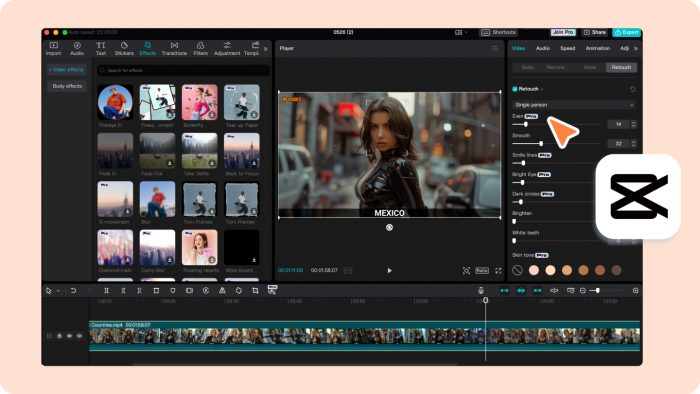
CapCut remains one of the most practical tools for Instagram Reels because it understands short-form editing better than most desktop-first editors. It is fast, familiar, and packed with features that directly matter for Reels: captions, templates, effects, beat cuts, background removal, transitions, and vertical formatting.
Its biggest strength is the editing rhythm. Reels need movement, quick cuts, readable subtitles, and a polished first frame. CapCut makes those tasks simple without forcing creators into a professional editing timeline.
For creators who produce Reels every day, CapCut is often the editing layer even when other AI tools are used earlier in the workflow.
| Aspect | Details |
| Best for | Solo creators, influencers, small brands |
| Core use | Editing, captions, transitions, templates |
| Key Reel features | Auto captions, effects, background removal, templates, mobile editing |
| Starting price | Free plan available; CapCut Pro is commonly listed around $19.99/month |
| Main limitation | Some advanced features have moved behind paid plans |
CapCut is not the most advanced AI tool on this list, but it may be the most useful day to day. For Instagram Reels, speed matters, and CapCut is built for that pace.
5. VEED
VEED is a browser-based video editor that works well for creators who want a cleaner, more professional editing environment than mobile-first apps. It handles subtitles, resizing, translation, screen recording, AI avatars, voice tools, and quick social exports.
For Instagram Reels, VEED is especially helpful when you need polished captions and brand consistency. It is a good fit for teams, marketers, and educators who want Reels that look cleaner than casual mobile edits.
The platform’s AI tools are broad, but the most useful ones for Reels are auto subtitles, social resizing, background cleanup, video translation, and simple brand controls.
| Aspect | Details |
| Best for | Marketers, educators, small teams |
| Core use | Browser-based editing and captions |
| Key Reel features | Auto subtitles, resizing, brand kit, AI editing, translation |
| Starting price | Free plan available; Lite is listed from $12/month annually |
| Main limitation | Can feel heavier than CapCut for quick casual edits |
VEED is a good choice when Reels are part of a professional content calendar rather than spontaneous creator posts. It gives teams more structure without requiring a complex editing setup.
6. Descript
Descript is best for creators who treat Reels like edited speech. Instead of editing only by timeline, Descript lets users edit video through text. Delete a sentence from the transcript, and the video changes with it.
That makes it useful for talking-head Reels, podcast clips, interviews, explainers, and educational content. If your Reels depend on spoken clarity, Descript can be more efficient than traditional editing software.
Its AI features also help with filler-word removal, captions, voice cleanup, screen recordings, and overdub-style workflows.
| Aspect | Details |
| Best for | Podcasters, educators, interview creators |
| Core use | Text-based video editing |
| Key Reel features | Transcript editing, captions, filler-word removal, AI cleanup |
| Starting price | Free plan available; Hobbyist starts at $16/month annually or $24/month monthly |
| Main limitation | Less suited for highly visual, effect-heavy Reels |
Descript is not the best tool for trend edits or flashy transitions. It is better for Reels where the spoken message carries the content.
Best AI Tools for AI Visuals and B-Roll
7. Runway
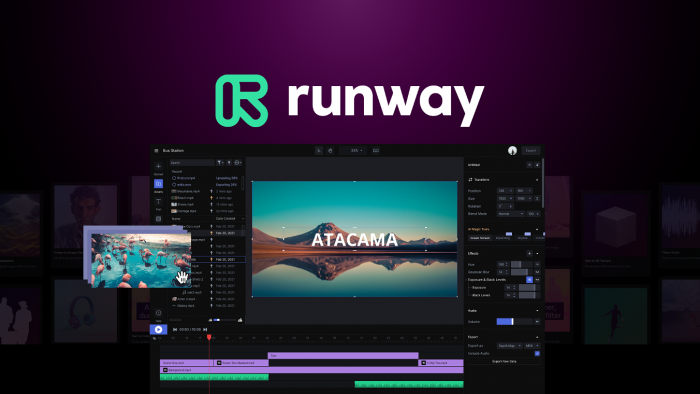
Runway is one of the best tools for creators who want original AI visuals rather than stock footage. It can generate cinematic b-roll, stylized scenes, product visuals, motion shots, and creative transitions that make Reels look more expensive than they are.
For Instagram Reels, Runway is most useful when you need visual variety. A faceless creator can use it to create scene-based content. A brand can use it for product concept visuals. A storyteller can use it to generate mood shots that would be difficult or expensive to film.
Runway is not the fastest tool for basic editing. Its strength is visual generation and creative control.
| Aspect | Details |
| Best for | Brands, filmmakers, faceless creators, visual storytellers |
| Core use | AI video generation and cinematic visuals |
| Key Reel features | Text-to-video, image-to-video, motion control, stylized b-roll |
| Starting price | Free plan available; Standard starts at $12/month billed annually |
| Main limitation | Credit usage can rise quickly during testing |
Runway is best used as a visual layer inside a Reels workflow, not as the whole workflow. Generate clips in Runway, then edit and caption them in CapCut, VEED, or another editor.
8. Pika

Pika is useful for creators who want playful, stylized, and attention-grabbing AI visuals. It works well for animating images, creating surreal clips, adding motion to static concepts, and producing short visual moments for social content.
For Reels, Pika fits creators who need visual hooks. It can help create unusual intros, animated product ideas, meme-style visuals, character motion, or experimental clips that stop the scroll.
It is less suitable for strict brand videos where every frame must be controlled precisely. But for creative short-form experimentation, it is one of the more accessible AI visual tools.
| Aspect | Details |
| Best for | Social creators, meme pages, faceless channels |
| Core use | Stylized AI video generation |
| Key Reel features | Image animation, short clips, visual effects, creative motion |
| Starting price | Free plan available; Basic is commonly listed around $10/month |
| Main limitation | Less predictable for polished commercial production |
Pika works best when the goal is not realism, but attention. For Reels, that can be valuable because the first few seconds often decide whether someone keeps watching.
Best AI Tools for Avatars and Voiceovers
9. HeyGen
HeyGen is useful for creators and brands that want presenter-style Reels without filming a person every time. It can turn scripts into avatar-led videos, making it useful for explainers, product education, founder-style posts, and multilingual content.
For Instagram Reels, HeyGen fits brands that need a human-like presence but do not want to record fresh footage daily. SaaS companies, course creators, agencies, and coaches can use it to create short talking videos quickly.
The strongest use case is not entertainment. It is repeatable communication.
| Aspect | Details |
| Best for | Brands, educators, SaaS teams, trainers |
| Core use | AI avatar videos |
| Key Reel features | AI avatars, script-to-video, translation, captions |
| Starting price | Free plan available; Creator plan commonly starts at $29/month |
| Main limitation | Avatar videos can feel repetitive if overused |
HeyGen works best when the message is clear and concise. It is not ideal for highly emotional creator content, but it is useful for educational and business-led Reels.
10. ElevenLabs
ElevenLabs is one of the strongest AI voice tools for Reels. It helps creators produce realistic voiceovers without recording themselves, which is especially useful for faceless pages, explainers, mini-documentaries, product videos, and multilingual content.
A good voiceover can change the quality of a Reel. Poor narration makes even strong visuals feel cheap. ElevenLabs is valuable because it gives creators more control over tone, pacing, and voice identity.
It is not a video editor, so it should be paired with CapCut, VEED, Runway, or Pika.
| Aspect | Details |
| Best for | Faceless creators, explainers, storytellers, brands |
| Core use | AI voiceovers and narration |
| Key Reel features | Text-to-speech, voice cloning, multilingual voice generation |
| Starting price | Free plan available; paid creator plans vary by character usage |
| Main limitation | Still needs a separate video editing tool |
ElevenLabs is best used when audio is central to the Reel. For storytelling, commentary, educational clips, and faceless content, it can make output feel far more professional.
Best AI Tools for Scheduling and Analytics
11. Later
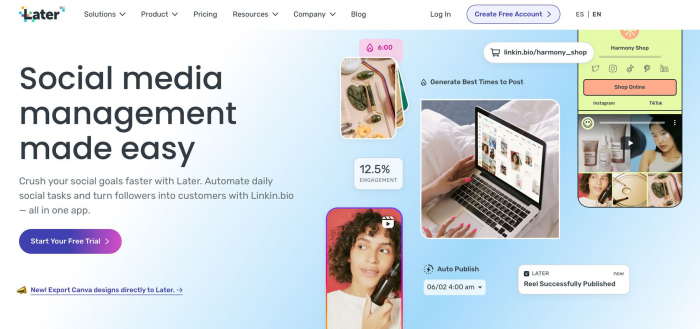
Later is not a video generator, but it belongs in this article because publishing is part of the Reels workflow. Creating good Reels means very little if posting is inconsistent or poorly timed.
Later helps with scheduling, planning, content calendars, and performance tracking. For Instagram-focused creators and brands, it is useful because it keeps Reels organized across campaigns instead of treating each post as a one-off upload.
| Aspect | Details |
| Best for | Instagram creators, social media managers, brands |
| Core use | Scheduling and planning |
| Key Reel features | Calendar planning, Instagram scheduling, analytics, best-time suggestions |
| Starting price | Starter plan listed from $18.75/month billed yearly |
| Main limitation | It does not create the actual Reel content |
Later is best for creators who already have output but need discipline around publishing. It solves consistency, not creativity.
12. Metricool
Metricool is a stronger option for creators and teams who want analytics alongside scheduling. It supports content planning, competitor tracking, reporting, and social performance analysis.
For Instagram Reels, Metricool is useful after publishing. It helps you understand which formats are working, what posting times perform better, and how Reels fit into your wider social media strategy.
| Aspect | Details |
| Best for | Agencies, brands, social teams |
| Core use | Scheduling, analytics, reporting |
| Key Reel features | Social calendar, analytics, competitor tracking, performance reports |
| Starting price | Free plan available; paid Starter plans are commonly listed from around $18 to $25/month depending on billing and region |
| Main limitation | More useful after you already publish consistently |
Metricool is a good fit when Instagram is not your only platform. If Reels are part of a broader social strategy across TikTok, LinkedIn, YouTube, and Facebook, Metricool gives a stronger reporting layer.
Final Verdict
The best AI tool for Instagram Reels depends on where your bottleneck is.
If you already have long videos, start with OpusClip, quso.ai, or Munch. If editing is slowing you down, CapCut is the most practical everyday choice, while VEED and Descript are stronger for polished or speech-led content. If you need fresh visuals, Runway and Pika can add creative b-roll. If you want faceless or presenter-style Reels, ElevenLabs and HeyGen are more useful than another editing app. For publishing discipline, Later and Metricool complete the workflow.
The smartest Reels setup is usually not one tool. It is a small stack built around your content type. A podcaster does not need the same tools as a faceless creator. A SaaS brand does not need the same workflow as a meme page.
Start with the stage that slows you down most, then build from there.