The empty box that ate my evenings
I want to tell you about the part of content creation nobody warned me about.
For months, my photos were ready before sunset. My videos were cut and color-graded, exported at full quality, sitting in a neat folder. The thumbnail looked sharp enough to stop a thumb mid-scroll. Then I hit the one wall that stole more of my evenings than all of that work combined. A small, blinking, empty caption box.
I would type a line, read it back, hate it, and wipe it. Then a joke that landed flat. Then something safe and forgettable that I knew nobody would react to. Twenty minutes later, the post still sat in drafts, and four more waited behind it.
That box was the real bottleneck in my week.
The filming felt like play. The captioning felt like homework I kept shoving to the bottom of the pile. I started dreading the final step of a process I otherwise loved, and that dread was costing me lost posts and lost sleep. Some nights I skipped a post entirely, not because I had nothing to share, but because I could not face writing one more caption.
Then I tried an AI caption generator, and the math of my evenings changed. That change is the reason I sat down to write this. By the end, I will walk you through the exact free tool I use now, screen by screen, so you can copy the process for yourself.

Why captions quietly steal your hours
Captions look tiny. They do not behave tiny.
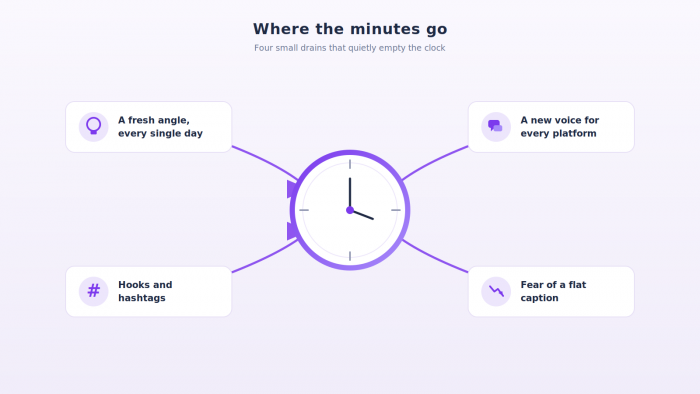
For a long time I assumed I was just slow at writing them. I would watch other creators post five times a day and wonder what was wrong with me. Then I tracked where my minutes actually went across one full week, and the leak became obvious. The time was not vanishing into one big task. It was bleeding out of four small ones.
Here is what was draining me:
- Finding a fresh angle every single day. Posting daily means inventing a new hook before breakfast, then again at lunch. Creativity on a schedule is a strange kind of pressure. The well runs dry faster than anyone likes to admit, and forcing it is slow work.
- Switching voice for each platform. A line that lands on LinkedIn dies on TikTok. I was not writing one caption per idea. I was rewriting the same idea into different accents, which doubled the effort every time I cross-posted.
- Hooks and hashtags as a second job. A strong opening sentence plus a relevant hashtag set often took as long as the caption body itself. The first seven words decide whether anyone reads the rest, so I agonized over them.
- The fear of a flat caption. I would polish and second-guess for ten extra minutes because a weak caption under a strong post felt like throwing away good work. That fear, more than anything, is what kept me frozen over the keyboard.
Stack those four across seven days of posting and the hours pile up fast. The writing itself was never hard. It was relentless, and relentless is what quietly eats a schedule.
Once I named these four drains, the fix I am about to describe finally made sense to me.
How AI caption generators give the hours back
This section is the heart of why the title holds up, so let me be direct about where the time actually returns.
The whole shift came down to one change in habit. I stopped writing from nothing. I started editing from something.
When you begin with a blank box, your brain has to invent structure, voice, the hook, and the actual words all at the same moment. When you begin with three solid drafts already in front of you, the job shrinks to picking the best one and trimming it. That is a far smaller task, and a smaller task takes less time. The blank page was the enemy, and the tool removes the blank page.
Picture the difference. Old me opened an empty box and typed nothing for ninety seconds while my brain searched for a first word. New me reads four finished captions in that same ninety seconds and has already chosen one. Same clock, completely different output.
Here is where the minutes came back for me:
- Drafts in seconds. I describe the post in one short line and usable captions appear almost instantly. There is no warm-up and no staring contest with an empty field.
- Several styles at once. Funny, professional, promotional, casual, all generated side by side. I read four options and choose, rather than building one from scratch and hoping it works.
- Editing beats inventing. Reshaping a good draft into my own voice is quick. Building that draft from zero was the slow part, and a tool now carries that load for me.
- Decisions get faster. Choosing between four strong options takes seconds. Manufacturing a single option out of thin air does not.
My role quietly changed from writer to editor. Editing has always moved faster than creating for me, and that one switch is where most of the saved time lives.
Knowing the benefit is one thing. Watching the actual buttons do the work is another, so let me show you the tool itself.
How I use the tool, step by step
The generator I rely on is free and refreshingly plain. There is no clutter and no menu of fifty settings to learn. It asks a few questions, you answer them, and it writes. Here is the full screen before I touch anything.
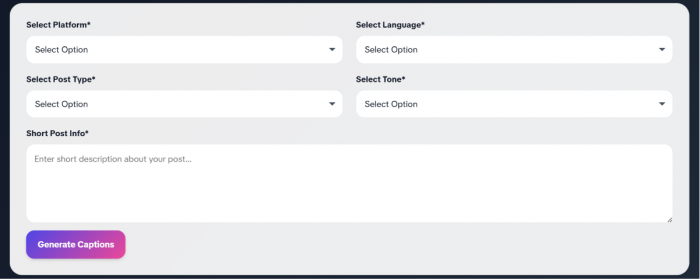
The form has five inputs and a single button. I will go through each one in the order I fill it, with the small choices that quietly make the output better.
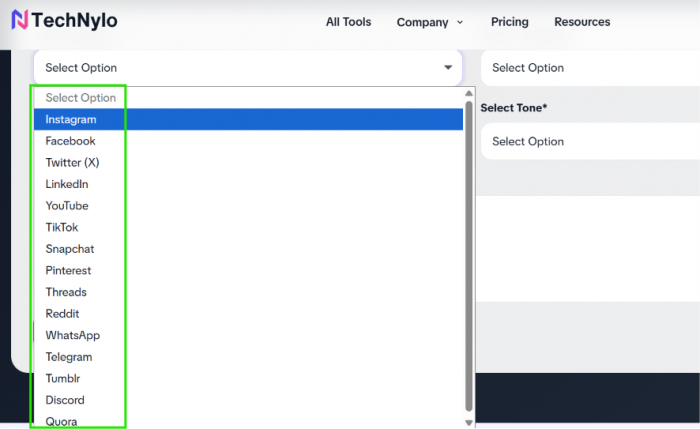
Step 1: Select your platform. I open the first dropdown and pick where the post is heading, for example Instagram or LinkedIn. This one choice shapes length and style, because the tool writes shorter and punchier for Instagram than for a slower, wordier platform. Getting this right first sets the tone for everything below it.
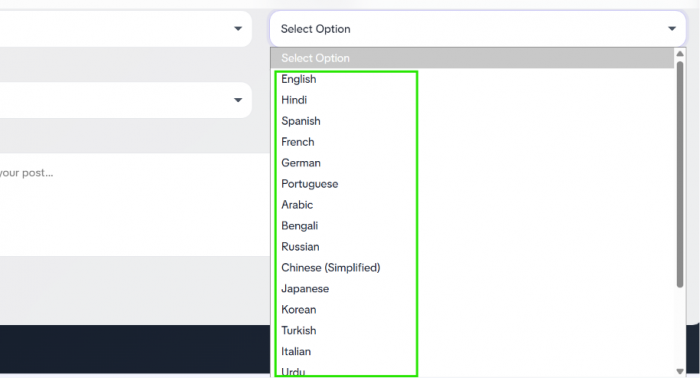
Step 2: Select your language. The next dropdown sets the caption language. I keep mine on English. If I were posting for a regional audience, I would switch it here and the captions would arrive already written in that language, which saves a separate translation step later.
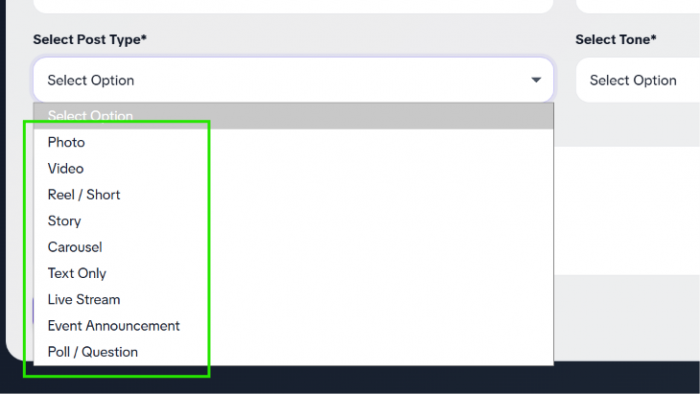
Step 3: Select your post type. This tells the tool what kind of content it is describing, such as a product post, a reel, an announcement, or a giveaway. Matching this field correctly keeps the caption pointed at the actual goal of the post instead of drifting into something generic.
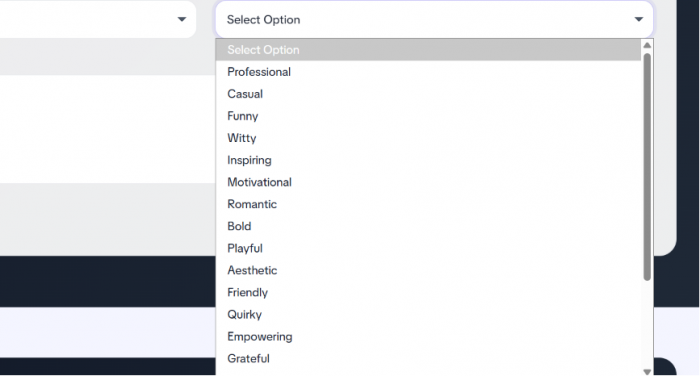
Step 4: Select your tone. This is the field I care about most, and the one that changes the result the most. Funny, professional, motivational, or sales-driven, the tone I choose here decides the entire personality of the caption. A motivational tone on a gym reel reads nothing like a sales tone on a product launch, and flipping between them is one click rather than a full rewrite.
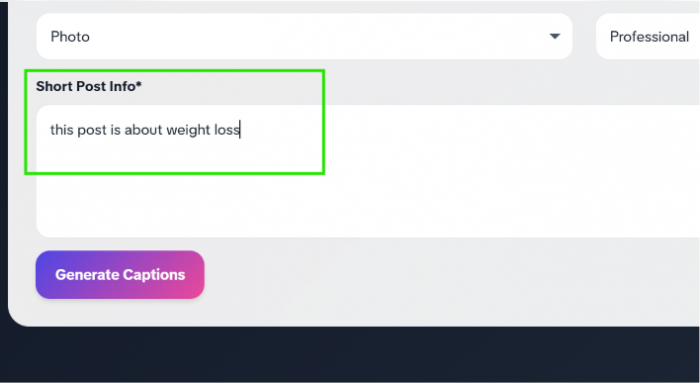
Step 5: Write your short post info. In the large box at the bottom, I type one or two plain sentences about the post. Something as simple as “morning fitness routine for busy office workers” is plenty. The more specific that sentence, the sharper the captions come back, so I always name the subject and the audience instead of leaving it vague. A lazy description gives lazy captions.
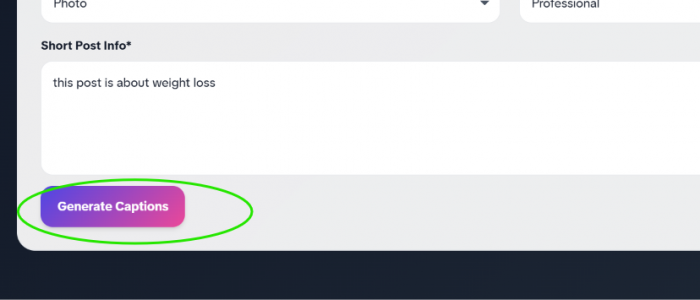
Step 6: Hit Generate Captions. I click the button and the tool returns a set of ready-to-use captions in a few seconds. I read through them, pick the closest match, and run a light edit pass to drop in my own emojis and brand wording.
Finally you have your caption ready!!
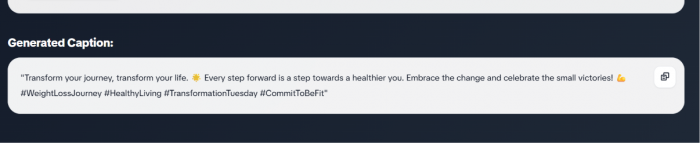
Here is a real run from last week. I typed “launching a new oversized hoodie, limited stock, cozy winter vibe” and set the tone to sales. Within seconds I had a punchy option leading with the scarcity, a softer one leaning on the comfort angle, plus two more sitting in between. I picked the scarcity-led caption, swapped one phrase for my usual sign-off, added two emojis, and it was live. Start to finish, under ninety seconds.
That is the entire loop. Five short answers and one click. The first time I ran it, I half expected to lose ten minutes fixing the output, exactly the kind of editing-versus-inventing problem I described in the section above. Instead I changed two words and posted.
The first time I timed this against my old method, the gap surprised me, so let me put real numbers beside it.
What the time difference actually looked like
I am not going to hand you a polished statistic pulled from nowhere. The numbers below are my own, measured across a normal posting week, so read them as one creator's experience rather than a universal rule.
A single caption written the old way, with all the deleting and second-guessing, ate fifteen to twenty minutes. The same caption through the tool, including my small edit afterward, came together in under two. The interesting part is what happens when you multiply that across a real schedule.
| Task | My old way | With the tool |
| One caption | 15 to 20 minutes | Under 2 minutes |
| Five posts a day | Around 90 minutes | Around 10 minutes |
| A full posting week | Close to 10 hours | Roughly 1 hour |
“What used to eat 20 minutes now takes under 2.”
That recovered time was not an abstract number on a spreadsheet. It was around eighty minutes a day I could spend behind a camera, or use to close the laptop and stop working at a sane hour. The title of this piece stops being a claim and starts being a receipt once you see that right-hand column.
None of this means the tool is flawless. Pretending it had no downsides would be dishonest, so here is exactly where it still leans on me.
Where the tool still needs me
The generator gives me a head start, not a finished post. There is always a short edit pass afterward, and I would not push its raw output straight to my feed.
The ideas are still mine. A tool can phrase a thought neatly, but the thought itself comes from me. The angle and the inside joke my audience recognizes are things no generator can invent, because they live in a relationship the machine cannot see. The machine writes the sentence. I decide what the sentence is even about, and why the post deserves to exist.
There is a trap worth naming plainly. Lean on it for every word and your captions slowly start to sound like everyone else who uses the same tool. I have scrolled feeds where every line carries the identical rhythm, and you can feel the autopilot humming underneath. So I use it to skip the blank-page struggle, then I bend the result until it reads like a person wrote it and not a template.
Treated that way, the limitations stop being problems. They mark the line between fast and forgettable, and staying on the right side of that line is my job, not the tool's.
The real payoff arrived about a month in. All those minutes I clawed back from the caption box went straight into filming more and experimenting more, which is the whole reason I picked up a camera to begin with.