Ad creative has quietly become the real lever in paid media. Algorithms handle bidding; audiences are broad; what wins now is how many strong creatives you can test every week. AI ad tools finally make that pace realistic, turning product pages and briefs into dozens of images, videos, and copy variations in minutes.
In this guide, we’ll break down eight of the best AI tools for ad creation right now, with clear tables for “at a glance”, pricing, pros and cons, and detailed feature explanations you can actually use to decide what fits your workflow.
Tools covered: AdCreative.ai, Lapis, Creatify, Visla, AdGPT, Runway, Predis.ai, Canva AI.
1. AdCreative.ai
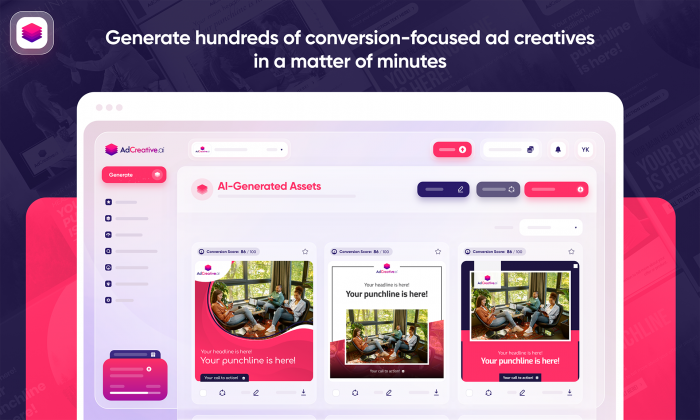
AdCreative.ai at a glance
| Aspect | Details |
| Primary focus | Performance‑driven static and light‑motion ads |
| Main outputs | Image creatives + ad copy |
| Best for | Performance marketers, paid social teams |
| Key strengths | Volume, on‑brand variants, CTR focus |
| Weak spots | Limited for complex, cinematic video |
What AdCreative.ai actually does well
AdCreative.ai is built for people who live inside Meta and Google Ads dashboards and care mainly about click‑through rates and cost per acquisition. You plug in your product info, brand assets, and objective, and the tool generates multiple variants of ad images and matching copy tailored to each placement. Over time, once you connect ad accounts, it learns from performance signals and nudges you toward creative patterns that historically win more clicks and conversions.
The big advantage here is controlled scale. Instead of briefing designers for every new variant, you lock in your logos, brand colors, fonts, and preferred tone once. Then, each new campaign becomes an exercise in combining offers and audiences, while AdCreative.ai produces dozens of clean, on‑brand creative options that actually look built for performance testing rather than a generic “graphic design” template.
AdCreative.ai pricing
| Plan | Approx. monthly cost (USD) | Designed for |
| Starter | 30–40 | Solo marketer, 1–2 brands |
| Growth | 80–150 | Small teams, several brands |
| Agency | 200+ | Agencies, high creative volume |
Pros and cons
Pros
● Generates many ad variants quickly while staying on‑brand.
● Connects with main ad platforms, making export and iteration easy.
● Strong fit for performance‑first teams who care about CTR and CPA.
Cons
● Not designed for advanced video or UGC‑style creatives.
● Creative can feel “templated” if you don’t customize inputs well.
● Heavier users may need higher tiers to avoid hitting credit limits.
2. Lapis
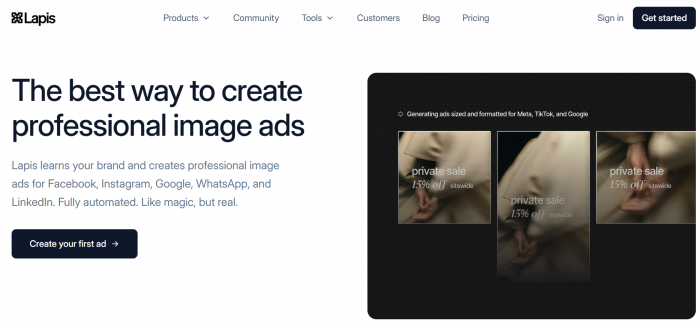
Lapis at a glance
| Aspect | Details |
| Primary focus | Cross‑platform AI ad generation at scale |
| Main outputs | Static images, some video, multi‑platform sets |
| Best for | Agencies, growth teams, multi‑account managers |
| Key strengths | Systematic, multi‑channel creative production |
| Weak spots | Less freedom for pixel‑perfect design experiments |
How Lapis supports scaled ad production
Lapis is aimed at teams managing many campaigns across Meta, Google, and other paid channels who want a reliable “ad factory”. You give it your creative direction, product data, brand rules, and target platforms, and it generates platform‑specific creatives sized and formatted correctly from a single core concept.
Because it’s built with scale in mind, it focuses heavily on structured workflows: reusing brand kits across accounts, cloning concepts into new markets, and maintaining consistent layouts while swapping offers or languages. The result is less time spent on repetitive resizing and exporting, and more time actually designing new test hypotheses and monitoring creative fatigue.
Lapis pricing
| Plan | Approx. monthly cost (USD) | Designed for |
| Team | 150–300 | In‑house marketing teams |
| Agency | 300–800 | Agencies with several client accounts |
| Enterprise | Custom | Large orgs, advanced integrations |
Pros and cons
Pros
● Excellent for cross‑platform creative consistency at scale.
● Designed around repeatable workflows for big ad libraries.
● Reduces manual resizing and re‑formatting work significantly.
Cons
● Less suited for one‑off, highly bespoke design projects.
● UI and feature set can feel “overkill” for very small advertisers.
● Requires process discipline to get the most out of its systemization.
3. Creatify
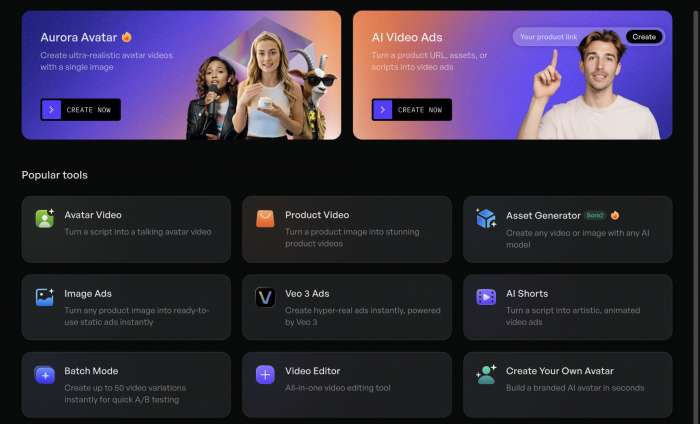
Creatify at a glance
| Aspect | Details |
| Primary focus | UGC‑style video ads from product URLs |
| Main outputs | Short vertical videos for Meta/TikTok/Reels |
| Best for | Ecommerce brands, DTC shops, ad buyers |
| Key strengths | Hook testing, “UGC” feel, speed |
| Weak spots | Not for premium, cinematic brand films |
Why Creatify is popular with ecommerce teams
Creatify is built around a simple promise: paste in a product URL and get a batch of ad‑ready, UGC‑style videos you can start testing immediately. It uses that URL and your prompts to generate scripts, scenes, and voiceovers that feel like creator content rather than polished TV spots. For performance marketers, the real leverage is volume. You can spin up many variations of hooks, angles, and CTAs quickly and then let your ad account decide which creative narrative finds the right audience.
This approach pairs nicely with “ugly ads win” realities on TikTok and Instagram Reels. The tool helps you avoid the studio look and lean into quick, conversational product storytelling without needing a roster of influencers or in‑house video editors.
Creatify pricing
| Plan | Approx. monthly cost (USD) | Designed for |
| Starter | 20–40 | Small stores, low video volume |
| Growth | 60–120 | Growing DTC brands |
| Agency | 150–300 | Agencies running many video tests |
Pros and cons
Pros
● Generates UGC‑style ad videos fast from product links.
● Great for testing many hooks and angles each week.
● Reduces dependency on creators for every new variation.
Cons
● Output style can be less suitable for premium luxury brands.
● Limited advanced editing control compared to pro video tools.
● Best results still require thoughtful prompts and creative direction.
4. Visla
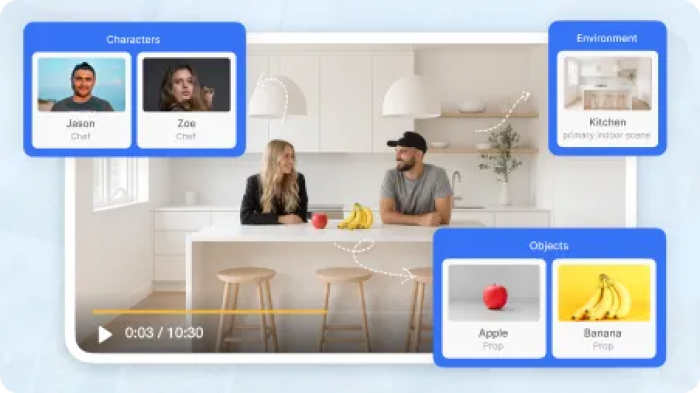
Visla at a glance
| Aspect | Details |
| Primary focus | Script‑driven AI video creation |
| Main outputs | Explainer‑style and product demo ad videos |
| Best for | SMEs, consultants, B2B marketers |
| Key strengths | Simple workflow, clear messaging, no editor needed |
| Weak spots | Less native to UGC/TikTok style content |
How Visla helps non‑editors ship video ads
Visla is made for marketers who know what they want to say but don’t want to learn video editing. You can start from a script, a rough outline, or a URL and let the tool build a storyboard with scenes, stock footage, text overlays, and voiceover. The interface makes it easy to swap clips, reorder scenes, and adjust pacing without timeline anxiety.
For ad creation, Visla works particularly well for top‑ and mid‑funnel videos where you want to explain a product, walk through benefits, or tell a short story in a structured way. It shines less in “native” TikTok or meme‑driven formats, but for crisp, reason‑why short videos on YouTube, LinkedIn, or Meta feeds, it gets you to a usable asset quickly.
Visla pricing
| Plan | Approx. monthly cost (USD) | Designed for |
| Free/Basic | 0–15 | Testing, low volume use |
| Pro | 20–40 | Regular ad and content producers |
| Business | 50–100 | Teams needing collaboration |
Pros and cons
Pros
● Very approachable for non‑video specialists.
● Good for structured, benefit‑driven ad messaging.
● Built‑in voiceover and caption support for social feeds.
Cons
● Outputs can feel templated if you don’t customize visuals.
● Not ideal for raw, creator‑style short‑form content.
● May require external tools if you want high‑end transitions or effects.
5. AdGPT
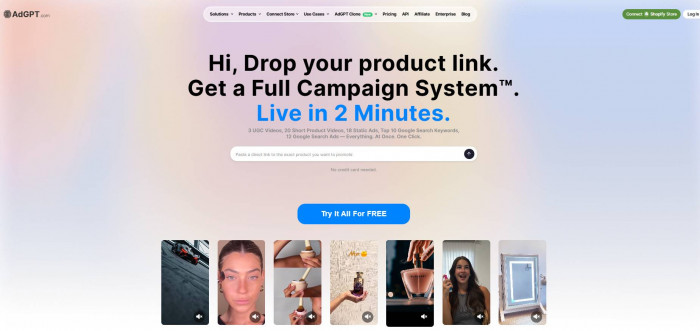
AdGPT at a glance
| Aspect | Details |
| Primary focus | Fast AI‑generated video ads for testing |
| Main outputs | Short video ads in multiple ratios |
| Best for | SMBs, lean agencies, budget‑conscious teams |
| Key strengths | Very low entry price, high test volume |
| Weak spots | Less advanced visual flair than pro video suites |
What makes AdGPT attractive for test‑heavy campaigns
AdGPT leans hard into the idea that you win by testing more, not by over‑polishing single ads. You start with a script, bullet points, or basic product description, pick a style, and the platform outputs several video variations. Hook lines, CTAs, and even scenes can be easily tweaked into new versions, helping you build a slate of ads around one angle quickly.
The tool is particularly appealing because of its simple pricing and friendly UI. You can give it to junior team members or founders and still get consistent outputs, then plug those into Meta, YouTube, or TikTok campaigns, and quickly see which creative variants deserve more spend.
AdGPT pricing
| Plan | Price (USD) | What you get |
| Trial | 1 (7 days) | Limited credits, full experience test |
| Pro | 19 / month | ~500 credits, around 10 video ads per month |
| Premium | 199 / month | Up to ~200 video ads, 1080p, multiple brands |
Pros and cons
Pros
● Extremely accessible pricing, especially at entry level.
● Built around quick variation and A/B testing of video ads.
● Supports multiple brands and languages on higher tiers.
Cons
● Visual sophistication less than high‑end creative tools.
● Heavy users may still run into credit constraints on lower plans.
● Styling options are more constrained than full editors like Runway.
6. Runway
Runway at a glance
| Aspect | Details |
| Primary focus | Advanced, cinematic AI video creation |
| Main outputs | Stylized brand films, experimental visuals |
| Best for | Premium brands, studios, creative agencies |
| Key strengths | Unique looks, advanced effects, text‑to‑video |
| Weak spots | Slower for high‑volume performance testing |
How Runway fits into ad creation
Runway is a different beast: it’s less about turning briefs into hundreds of variations and more about turning ambitious ideas into visually striking video. With powerful text‑to‑video models, image‑to‑video workflows, and a robust editor, it allows brands to create standout hero creatives, concept films, and visually experimental ad assets that look nothing like stock footage.
In the ad context, Runway is best reserved for moments where you need a signature piece: a product launch video, a brand identity spot, or an eye‑catching top‑of‑funnel ad that anchors a campaign. You can still generate variants, but the bottleneck is often creative direction, not the tool itself.
Runway pricing
| Plan | Approx. monthly cost (USD) | Designed for |
| Free | 0 | Exploration, low‑res tests |
| Standard | 15–35 | Creators, small brands |
| Pro | 35–75 | Agencies, frequent production |
| Enterprise | Custom | Studios and large organizations |
Pros and cons
Pros
● Delivers unique, high‑impact visual styles.
● Strong text‑to‑video and image‑to‑video capabilities.
● Suitable for flagship brand and campaign assets.
Cons
● Overkill if you just need quick, simple performance creatives.
● Steeper learning curve than simple ad generators.
● Slower to produce large volumes of test variants.
7. Predis.ai
Predis.ai at a glance
| Aspect | Details |
| Primary focus | Social media content + basic ad creatives |
| Main outputs | Posts, short videos, simple ad creatives |
| Best for | Social‑first brands, small teams |
| Key strengths | All‑in‑one content + ads + scheduling |
| Weak spots | Less specialized for deep ad optimization |
Why Predis.ai appeals to social‑heavy brands
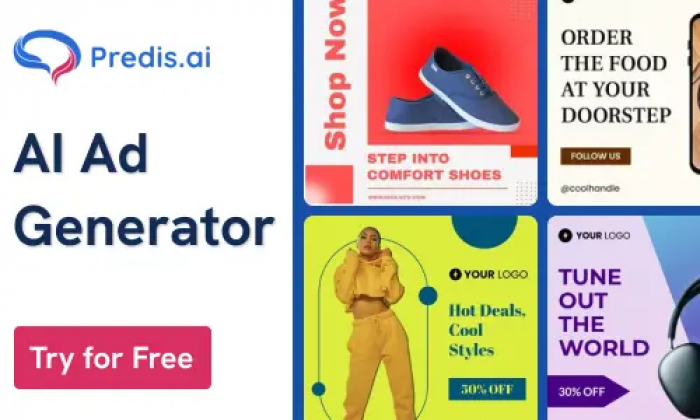
Predis.ai blurs the line between content creation and ad production. You can input product links or prompts and generate carousels, video posts, and straightforward ad creatives in one interface. There is also a social planner, so you can map out your organic and paid content without juggling multiple tools.
From an ad creation perspective, it’s most attractive when your brand relies on a constant flow of social content that sometimes needs to be “boosted” or turned into performance campaigns. Rather than having a separate ad‑only tool, you use Predis.ai as a content engine and lift your best pieces into paid with minor tweaks.
Predis.ai pricing
| Plan | Approx. monthly cost (USD) | Designed for |
| Free | 0 | Testing, very small brands |
| Starter | 20–30 | Solo creators, micro‑businesses |
| Growth | 40–80 | Small teams and agencies |
| Agency | 100+ | Multi‑brand setups |
Pros and cons
Pros
● One place for social posts, short videos, and basic ads.
● Built‑in planner reduces tool fragmentation.
● Good enough for many small brands’ ad needs.
Cons
● Not as deep on ad testing features as dedicated tools.
● Creative outputs may require polishing for larger brands.
● Less focused on cross‑channel performance analytics.
8. Canva AI
Canva AI at a glance
| Aspect | Details |
| Primary focus | Static ad creatives and simple motion graphics |
| Main outputs | Image ads, simple video, resized variants |
| Best for | Non‑designers, early‑stage teams |
| Key strengths | Templates, speed, ease of use |
| Weak spots | Limited ad‑specific analytics and AI optimization |
How Canva AI fits into an ad stack
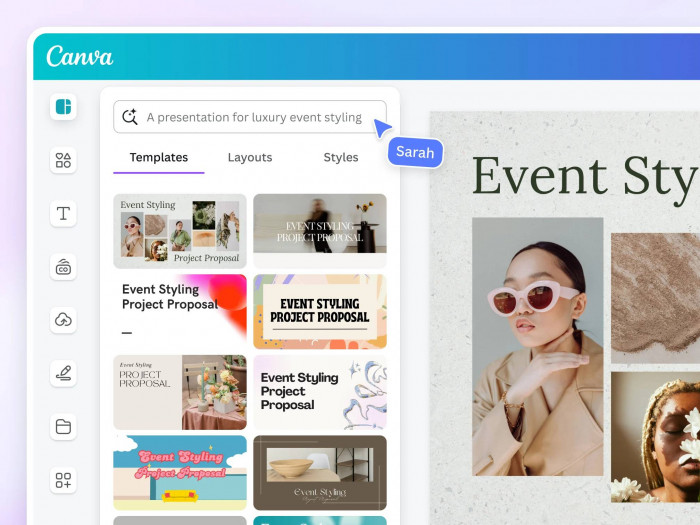
Canva isn’t a pure ad creation tool, but for many marketers it’s the default environment for quick static creatives. With AI‑assisted text and image tools plus thousands of ready‑made ad templates, you can spin out social and display ads in minutes. Magic Resize then adapts those creatives to other placements, saving a ton of repetitive design work.
For AI‑driven ad creation, the benefit is more about acceleration than intelligence: you still decide angles and offers; Canva simply makes it trivial to produce polished visual executions that look consistent across campaigns. That makes it a great “first stop” for smaller brands or teams who are not yet ready for highly specialized ad AI platforms.
Canva pricing
| Plan | Monthly cost (USD, approx.) | Designed for |
| Free | 0 | Individuals, light use |
| Pro | 10–15 | Solo marketers, creators |
| Teams | 15–30 per user | Small‑to‑mid‑size teams |
Pros and cons
Pros
● Huge template library for ads across platforms.
● Very easy to learn; great for non‑designers.
● Magic Resize and AI tools speed up variant creation.
Cons
● No built‑in ad performance optimization or testing logic.
● Limited for complex video or UGC‑style creatives.
● You still rely on ad platforms or other tools for analytics.
Verdict: Which AI Ad Tool Should You Start With?
If you’re a performance marketer or media buyer, your first priority is testing more creatives without sacrificing brand consistency. For that, AdCreative.ai and Lapis are strong foundations: they give you large volumes of ready‑to‑launch creative and keep the process structured. Video‑heavy ecommerce teams should layer in Creatify and/or AdGPT for rapid hook testing across Meta, TikTok, and YouTube.
For premium or brand‑led campaigns, bring Runway into the mix as your hero‑asset engine, and keep Canva AI or Predis.ai in your stack for day‑to‑day static and social content. Ultimately, the “best” stack is usually a combination: one tool focused on volume and testing, one on social/UGC, and one on standout flagship videos that make your brand impossible to ignore.