Creating sound effects used to mean digging through giant audio libraries, layering stock sounds, and spending too much time trying to match the exact mood of a scene. AI has changed that workflow in a big way. Today, creators can generate custom sound effects from simple prompts, build ambient textures faster, and fill missing audio gaps without relying entirely on pre-recorded libraries.
That does not mean every AI sound tool is equally useful. Some are better for quick social-video sound design, some work best for realistic foley, and others are stronger at cinematic textures or hybrid audio generation. The tools below are the ones worth paying attention to right now if your goal is faster, cleaner, and more flexible sound effects creation.
Quick Comparison Table
| Tool | Core use | Strength | Limitation | Pricing (from) |
| ElevenLabs SFX | Text-to-sound effects | Fast, realistic one-shots | Limited deep layer control | Free; paid ≈ $10/mo |
| Adobe Firefly SFX | SFX inside Adobe workflow | Great for Premiere/AE users | Only makes sense if you use Adobe | Free credits; CC ≈ $20–30/mo |
| Canva AI SFX | Simple social SFX | Very easy, no audio skills needed | Too basic for serious sound design | Free; Pro ≈ $12.99/mo |
| Soundverse | General AI audio (SFX + music) | One tool for effects + music | Less specialized for pure SFX | Free tier; paid (check live) |
| Noiz AI | Lifelike scenes & atmospheres | Realistic, cinematic audio | Less beginner friendly | Tiered SaaS (check live) |
| Stable Audio | Textured ambiences & hits | Rich, stylized design sounds | Not ideal for literal foley | Creator ≈ $29.99/mo |
| Soundraw | Beds & background audio | Easy mood and length control | Not for precise SFX | ≈ $11–13/mo (no free plan) |
| Kling AI SFX | Experimental / stylized SFX | Creative, unusual textures | Less predictable results | Freemium; paid tiers (check live) |
1. ElevenLabs Sound Effects
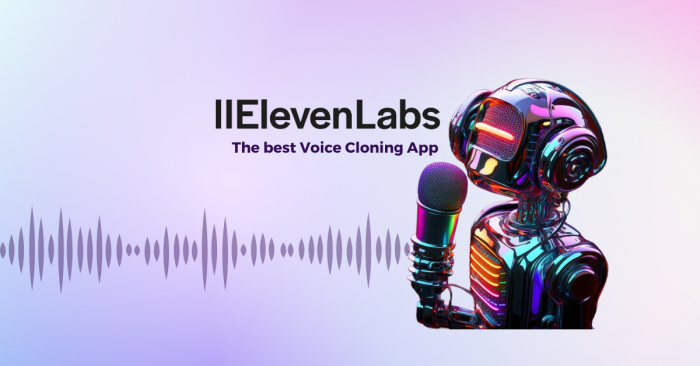
ElevenLabs Sound Effects is one of the most practical AI tools in this category because it makes text-to-sound creation feel genuinely usable for real projects. You type in a description such as a whoosh, impact, ambient bed, or environmental sound, and the platform generates downloadable audio clips with surprisingly clean fidelity.
The platform supports text-prompt-based sound generation, royalty-free output, downloadable clips, and high-fidelity audio creation that works well for video editing, social content, ads, and general production workflows. It is especially useful when you need custom sound effects quickly instead of searching through stock libraries.
Core use: ElevenLabs is mainly designed for fast, prompt-based sound effect generation. It works best when you know the kind of sound you want but do not want to spend time hunting for the right file in a traditional SFX library.
Main strength: Its biggest advantage is speed combined with realism. The generated effects often sound clean enough to use with minimal extra treatment, which makes it a strong option for creators who need something fast but still polished.
Limitation: The main limitation is control at the fine-detail level. You can regenerate and refine prompts, but if you want highly layered or surgically precise sound design, you will still need a DAW or additional editing tools.
Pricing: ElevenLabs has a Free plan, and its wider paid ecosystem generally starts around $10/month, while the free plan includes limited usage and requires attribution for certain sound effect use cases. Paid plans remove attribution requirements and allow broader commercial use.
Best for: This tool is best for YouTubers, short-form creators, podcast editing, indie filmmakers, and editors who want realistic sound effects on demand without building an expensive personal library. It is especially useful for fast-turnaround content workflows.
2. Adobe Firefly AI Sound Effects
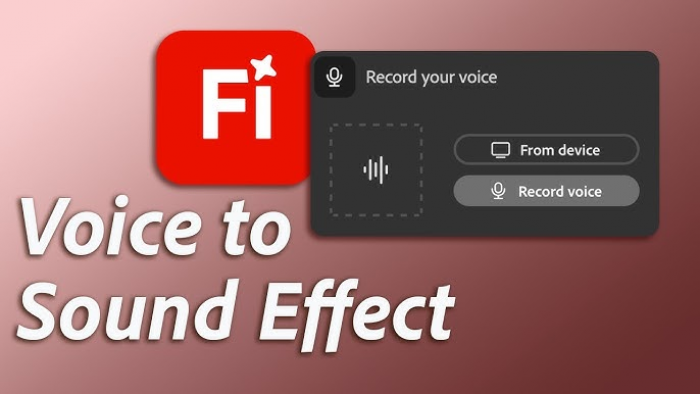
Adobe Firefly’s AI Sound Effect Generator makes the most sense for people who are already inside the Adobe ecosystem and want sound generation to feel like part of their video workflow rather than a separate experiment. It is designed to create custom sound effects through text prompts and adjustment controls in a web-based environment tied to Adobe’s broader creative stack.
Adobe highlights web-based custom sound generation, intuitive prompt controls, and integration potential across creative workflows. That means you can generate effects for videos, motion projects, and digital media in a way that fits naturally with other Adobe tools.
Core use: The platform’s core use is integrated sound generation for editors and designers who want custom effects inside a familiar production environment. It is not just about generating sound, but about fitting that sound into an existing professional workflow.
Main strength: Its biggest strength is workflow efficiency for Adobe users. Instead of jumping between unrelated tools, creators can keep sound generation within a broader production pipeline that already includes editing, graphics, and export management.
Limitation: The drawback is that it is most valuable only if you already use Adobe products. If you are looking for a standalone sound effects generator without the rest of the Adobe ecosystem, it can feel heavier and more expensive than necessary.
Pricing: Firefly access is tied to Adobe’s product ecosystem, with some free generative access available through limited credits, while paid Adobe plans typically start around $20–$30/month for individual app subscriptions and go higher for broader Creative Cloud access.
Best for: Adobe Firefly is best for professional editors, agencies, motion designers, and video teams already working inside Creative Cloud who want AI sound effects without breaking their workflow. It is especially useful in commercial production pipelines.
3. Canva AI Sound Effect Generator
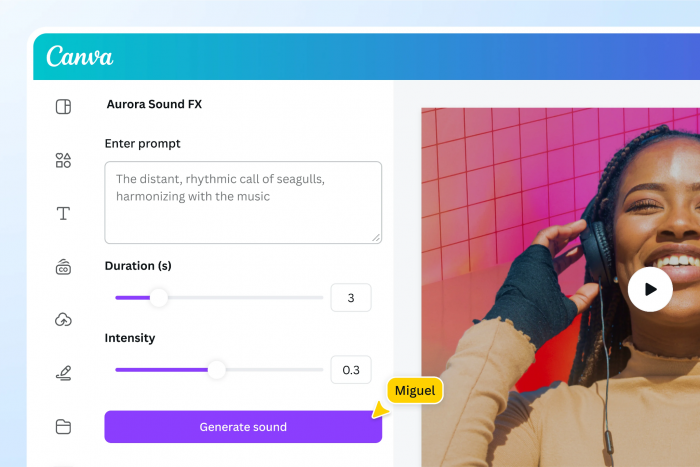
Canva’s AI Sound Effect Generator is clearly aimed at non-technical creators who want quick sound enhancement inside the same tool they already use for design, video, and social content. It is less about deep audio engineering and more about making short-form and branded content feel more finished.
Canva offers prompt-based AI sound generation within its wider content creation environment. This makes it possible to generate short SFX, attach them to social videos, and handle visuals, captions, and edits in one place.
Core use: Its core use is simple sound design for social-first content such as Reels, ads, explainers, and short promotional videos. It is built for convenience, not for complex cinematic sound building.
Main strength: The main strength here is accessibility. Canva makes sound generation approachable for marketers, creators, and small teams who want usable effects without learning audio production software.
Limitation: The limitation is depth. If your work depends on realistic foley, advanced scene audio, or layered cinematic effects, Canva will feel too lightweight and basic compared with more specialized SFX tools.
Pricing: Canva offers a Free plan, and Canva Pro starts at about $12.99/month for individual users, with AI features and export flexibility becoming more practical on paid tiers.
Best for: Canva is best for social media managers, small brands, beginner creators, and marketers who already build content in Canva and want quick, simple sound effects without leaving the platform. It works especially well for short-form branded content.
4. Soundverse
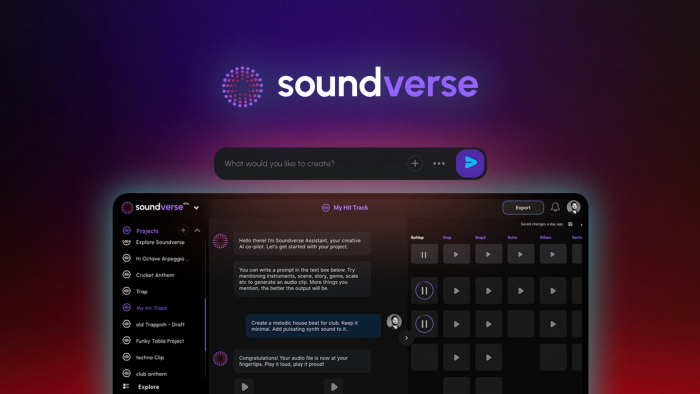
Soundverse is positioned as an AI audio platform rather than a narrow SFX-only tool, which gives it a different kind of value. It can help with sound effects, music, and audio generation more broadly, making it useful for creators who want one tool that can cover several parts of an audio workflow.
The platform supports AI audio generation across multiple use cases, including sound effects and music-style outputs, with creator-focused workflows and flexible generation capabilities. It is meant to serve as a broader creative audio environment rather than a one-function generator.
Core use: Soundverse works best as an all-in-one AI audio assistant. It is useful when you need both effects and broader project audio elements, rather than using separate tools for each piece of the workflow.
Main strength: Its biggest strength is versatility. A creator can move from generating a small sound design element to building supporting background audio without switching platforms, which is appealing for indie teams and solo creators.
Limitation: The trade-off is specialization. Because it covers a wider audio territory, it may not match the precision of tools that focus only on realistic sound effects or only on cinematic foley.
Pricing: Pricing information varies across sources, but Soundverse is generally described as offering a free version or free trial, while more advanced access is available through paid plans. Some comparison sources list pricing visibility as limited, so final checking on the official product page is important.
Best for: Soundverse is best for indie creators, long and short YouTuber vidoes, small studios, and creators who want one AI audio platform for both effects and supporting sound generation. It makes the most sense for flexible, mixed-media workflows.
5. Noiz AI
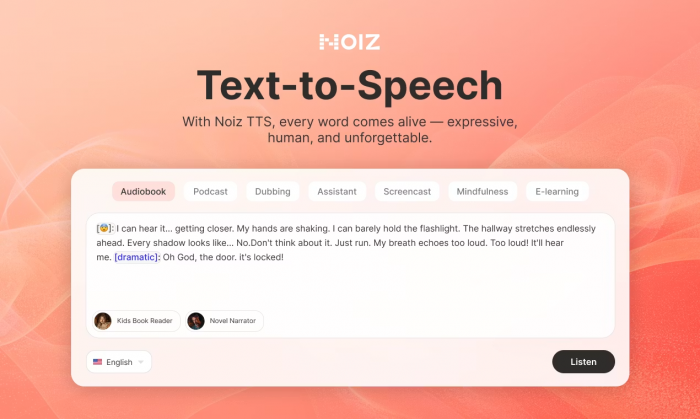
Noiz AI stands out because it talks less like a casual creator tool and more like a professional audio generation platform. Its positioning is centered on lifelike sound, voice, dialogue, ambient atmosphere, and audio scene creation from simple prompts, which makes it appealing for more advanced production needs.
Noiz AI can generate sound effects, dialogue, background music, and full ambient atmospheres through prompt-based workflows. It is designed to let users create and refine audio scenes rather than only isolated sound files.
Core use: The core use of Noiz AI is more immersive audio scene creation. It works best for creators who need environmental sound, cinematic layers, or a more complete audio atmosphere rather than just quick one-shot effects.
Main strength: Its strongest point is realism and scope. Instead of limiting the user to isolated SFX, it can contribute to fuller sound environments, which makes it useful for narrative video, trailers, and cinematic productions.
Limitation: The limitation is that it appears to be better suited to creators who already understand audio workflows. It is less casual and less immediately accessible than lightweight platforms built for social media creators.
Pricing: Noiz AI publicly presents itself as a pro audio platform, but clear pricing details are not strongly exposed in currently accessible public material. That means it likely operates on a tiered SaaS model, but users should confirm current pricing directly before purchase.
Best for: Noiz AI is best for filmmakers, trailer editors, advanced video creators, and teams that need lifelike sound environments rather than just quick social SFX. It is more of a creative audio production tool than a casual effects generator.
6. Stable Audio
Stable Audio is more widely recognized for generative music, but it is also useful for sound design tasks, especially when you need textured audio, ambient layers, abstract sound beds, or design-heavy effects rather than literal foley. It is a strong choice when your sound palette needs to feel bigger and more atmospheric.
Stable Audio supports AI audio generation with paid licensing structures, varying track durations, monthly generation limits, and commercial-use options under creator-focused plans. It is designed for flexible audio generation rather than narrow, one-shot effect design only.
Core use: Its core use is creating rich textures, design elements, ambient layers, and stylized audio that can function as sound effects or background design components. It is especially useful for intros, trailers, motion pieces, and scene-building audio.
Main strength: The strongest part of Stable Audio is audio richness. It can produce fuller, more layered, and more experimental results than some literal SFX generators, which gives it creative range for stylized projects.
Limitation: Its limitation is precision. If you need an exact real-world sound like a cup hitting a table or a door latch snapping shut, it is often less targeted than tools built specifically for literal sound effect generation.
Pricing: Stable Audio offers paid subscriptions, with publicly visible pricing around $29.99/month for its creator-oriented plan tiers. Licensing also varies depending on personal, creator, or enterprise use.
Best for: Stable Audio is best for trailer editors, motion designers, experimental creators, and anyone who wants textured sound design elements more than literal stock-style foley. It is a good fit for stylized audio workflows.
7. Soundraw
Soundraw is mainly known as an AI music platform, but it still deserves mention because many creators use it for background sound beds, rhythmic sweeteners, and mood-building elements that function alongside sound effects. It is less about generating a single impact or whoosh and more about giving scenes a controllable audio bed.
Soundraw allows users to generate customizable audio tracks by adjusting factors like mood, genre, and length. It is designed around fast audio customization, making it useful for fitting scenes without writing or composing from scratch.
Core use: Its core use is audio mood support rather than literal sound effect generation. It works best when you need subtle beds, pulses, and layered support beneath visuals, voiceover, or motion-heavy edits.
Main strength: The main strength is structured control. Instead of fully random output, users get more predictable shaping of the result, which helps when matching audio to a particular scene or tone.
Limitation: The clear limitation is that it is not a dedicated SFX tool. If your goal is to generate exact foley hits or scene-matched object sounds, Soundraw is not the right first choice.
Pricing: Soundraw does not offer a permanent free plan, though a free trial is available, and paid pricing starts from about $11.05 to $13/month, depending on plan structure and billing. Higher artist tiers cost more.
Best for: Soundraw is best for video editors, marketers, and creators who need mood-supporting audio, subtle sweeteners, and customizable beds rather than object-based sound effects. It fits branded and commercial content especially well.
8. Kling AI SFX
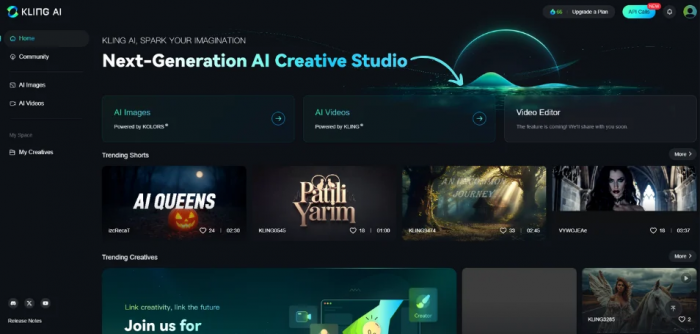
Kling AI’s sound-related capabilities have started showing up in newer roundups as a more experimental option in AI-generated sound design. It is not always framed as the most traditional SFX tool, but it has appeal for creators who want more stylized or unusual outputs rather than just practical stock-like effects.
Kling is generally described as supporting creative AI sound generation suited to stylized effects, evolving textures, and prompt-based experimentation. It is more exploratory than utility-first in how it tends to be discussed.
Core use: The core use here is experimental sound creation. It works better for futuristic, abstract, or design-heavy projects than for standard foley replacement.
Main strength: Its biggest strength is variety and surprise. For creators working in sci-fi visuals, motion graphics, experimental edits, or indie game content, that unpredictability can actually be an advantage.
Limitation: The limitation is consistency. If you need precise, repeatable, conventional sound effects, it may take more prompting and more post-editing to arrive at the right result.
Pricing: Public pricing details are not strongly established in the most accessible material, but roundup coverage places it in the freemium-style AI generation category, where entry-level use is typically free and paid access expands generation limits.
Best for: Kling AI SFX is best for motion designers, experimental video creators, indie game developers, and creators who want AI to suggest more imaginative sound directions rather than just replace a stock library. It is more creative playground than production utility.
Final thoughts
The best AI tool for sound effects creation depends on the kind of work you do. If you need literal and realistic text-to-SFX output, ElevenLabs is one of the strongest starting points. If you live in Adobe, Firefly makes more sense. Canva is the easiest for social creators, Noiz is more serious for cinematic work, Stable Audio is stronger for textures and atmospheres, while Soundraw and Kling work better in more supportive or experimental roles.
For most creators, the smartest approach is not to rely on one single platform for everything. A fast literal generator for one-shots, plus a more atmospheric tool for layered design, gives a much stronger workflow than expecting one AI platform to cover the entire sound department on its own.